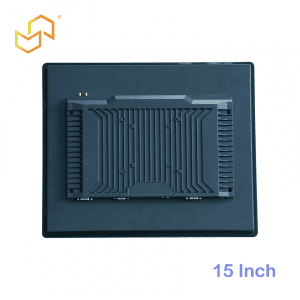


Panel PC for Warehouse and Logistics Operations
A Panel PC for Warehouse and Logistics Operations is most valuable when it sits right where work happens. In inventory control, barcode workflows, and dispatch stations, the device becomes the operator’s immediate connection to stock records, movement instructions, and shipping status. For LCDSLD buyers, this matters because warehouse environments are usually fast-paced, physically demanding, and sensitive to downtime.
Unlike a general office terminal, a logistics Panel PC has to stay readable, responsive, and easy to mount in locations where space is limited and movement is constant. That makes ruggedness and mounting flexibility just as important as the software running on the screen.
Why warehouse operations need a different approach
Warehouses do not run on static desks. They run on movement, scanning, dispatch timing, and people moving between receiving, put-away, picking, packing, and outbound shipping. A Panel PC used in this setting must therefore support quick interaction and dependable access to the systems that keep inventory moving.
The hardware also has to work in places where dust, vibration, temperature variation, and mounting constraints are part of daily reality. A terminal that is fine in a quiet office may become a bottleneck on the warehouse floor. That is why logistics projects often choose integrated industrial computing instead of consumer-style hardware.
Inventory control at the point of work
Inventory control is one of the main reasons warehouses install Panel PCs. When receiving teams, put-away operators, or cycle-count staff can access live data at the point of action, the whole inventory process becomes faster and more accurate. The Panel PC becomes the place where physical stock and digital stock meet.
That matters because inventory mistakes usually happen when people have to rely on memory, paper, or disconnected tools. With a proper terminal in place, staff can confirm item locations, update quantities, and verify movement without leaving the workflow. If your broader project also involves choosing the right industrial display format, the Panel PC: Complete Guide to Industrial All-in-One Computing is a useful starting point, and the Industrial Panel PC Buyer’s Guide: How to Choose the Right Model can help you narrow the choice.
Barcode workflows
Barcode scanning is one of the most common warehouse interactions with a Panel PC. In receiving, picking, packing, and shipping, the operator often needs to scan a code, confirm the result, and move to the next task with as little delay as possible. A responsive touch interface and reliable system performance help keep that flow smooth.
A good barcode workflow also depends on placement. The terminal should be close enough to the scanner, label printer, or handheld device to minimise movement, but not so close that it crowds the operator. That is why warehouse Panel PCs are often selected with the mounting plan in mind, not as a separate afterthought.
Dispatch stations and shipping control
Dispatch stations are another strong use case. In outbound operations, staff may use the Panel PC to manage shipping status, track orders, coordinate dock activity, or confirm what leaves the building. The terminal becomes a control point for the flow of goods rather than just a display.
This role is especially important in facilities where timing affects the whole operation. If the dispatch terminal is slow or unreliable, the delay can ripple through packing, staging, and loading. A warehouse Panel PC should therefore be chosen for stability, easy access, and strong integration with the shipping workflow.
Ruggedness matters in warehouses
Warehouse environments are demanding even when they do not look extreme. Dust, forklift traffic, vibration, temperature changes, and repeated daily use can all wear down weaker hardware. A rugged industrial Panel PC is better suited to those conditions because it is designed to be more durable and more stable in continuous operation.
Ruggedness does not mean overbuilding every project. It means matching the hardware to the real environment. A terminal mounted near a dock door, in a busy packing zone, or on a mobile station may need stronger sealing, a more durable enclosure, or a quieter cooling strategy than a system in a clean back office. If your project also needs a larger display reference for station planning or dashboard-style information, the 32 Inch Commercial Android Kiosk and 49 Inch Commercial Android Kiosk pages can help you compare larger integrated formats.
Mounting flexibility and placement
Mounting flexibility is one of the biggest practical advantages of a Panel PC in logistics. Warehouses rarely have one ideal installation point; instead, terminals may need to fit on walls, arms, counters, packing benches, or fixed equipment zones. The hardware should adapt to the workflow, not force a redesign of the work area.
That flexibility also matters for service and replacement. If the terminal is mounted in a way that allows quick maintenance, the warehouse can recover faster from issues. In an operation where minutes matter, the service plan is part of the product decision.
What to look for in a warehouse Panel PC
The most important selection rule is simple: choose the device around the actual warehouse task. If the unit is for scanning and inventory updates, responsiveness and placement matter most. If it is for dispatch and shipping control, reliability and visibility matter more.
Practical checklist
-
Rugged build for dust, vibration, and daily wear.
-
Flexible mounting for walls, arms, counters, or stations.
-
Responsive touch for barcode workflows and quick confirmation.
-
Easy integration with scanners, printers, and shipping tools.
-
Clear screen readability in active work zones.
A well-chosen warehouse Panel PC should feel like part of the workflow infrastructure, not like a separate computer someone had to fit in afterwards.
Where to start on LCDSLD
If you are comparing warehouse and logistics options, the best place to begin is with the industrial product family, then narrow by installation style and workflow. For warehouse projects, the most useful starting points are the Panel PC product category for industrial all-in-one models and the Android Panel PC category if your workflow is app-based or kiosk-like.
For larger station or control-point references, the 32 Inch Commercial Android Kiosk and 49 Inch Commercial Android Kiosk pages show how bigger integrated formats can fit into information-heavy environments. If you need a broader solution perspective before you choose a model, the Panel PC: Complete Guide to Industrial All-in-One Computing is a useful starting point, and the Industrial Panel PC Buyer’s Guide: How to Choose the Right Model can help you narrow the choice.
What buyers should remember
Warehouse Panel PCs work best when they shorten the distance between the physical task and the digital record. That means the screen should be close to the action, the workflow should stay fast, and the device should hold up in demanding conditions. In logistics, the real value comes from reducing friction in inventory and dispatch work.
A practical rule helps:
-
Use a Panel PC when barcode or inventory tasks happen repeatedly at the same station.
-
Use rugged mounting when the terminal is exposed to traffic, vibration, or shifting work conditions.
-
Use a larger reference format when the station also needs a clear operational display.
FAQ
Is a Panel PC good for warehouse use?
Yes. It is a strong fit for inventory control, barcode workflows, and dispatch stations because it combines display and computing in one durable unit.
Why is ruggedness important?
Warehouses expose hardware to dust, movement, vibration, and long operating hours, so a rugged design helps improve stability and lifespan.
What is the best mounting style?
It depends on the station. Wall, arm, counter, and fixed-equipment mounting are all common, and the best choice is the one that matches the work area.
Should I choose Android or Windows?
It depends on the software stack. App-based workflows may suit Android, while system-heavy or enterprise workflows may need a different platform.
CTA
If your warehouse or logistics project needs a reliable Panel PC for inventory control, barcode work, or dispatch stations, the best first step is to match the hardware to the actual workflow. For product support or customisation, contact LCDSLD via the contact page to request a tailored recommendation.