



Panel PC for Self-Service Check-In Systems
Self-service check-in systems work best when the hardware makes the process feel fast, simple, and reliable. A Panel PC is ideal here because it combines the display, touch input, and computing engine into one compact unit, which helps keep the check-in experience clean and easy to deploy.
For product navigation, the Panel PC | LCDSLD page and the Industrial VESA-Mounted Panel PC category are the most relevant starting points for this topic.
Why check-in matters
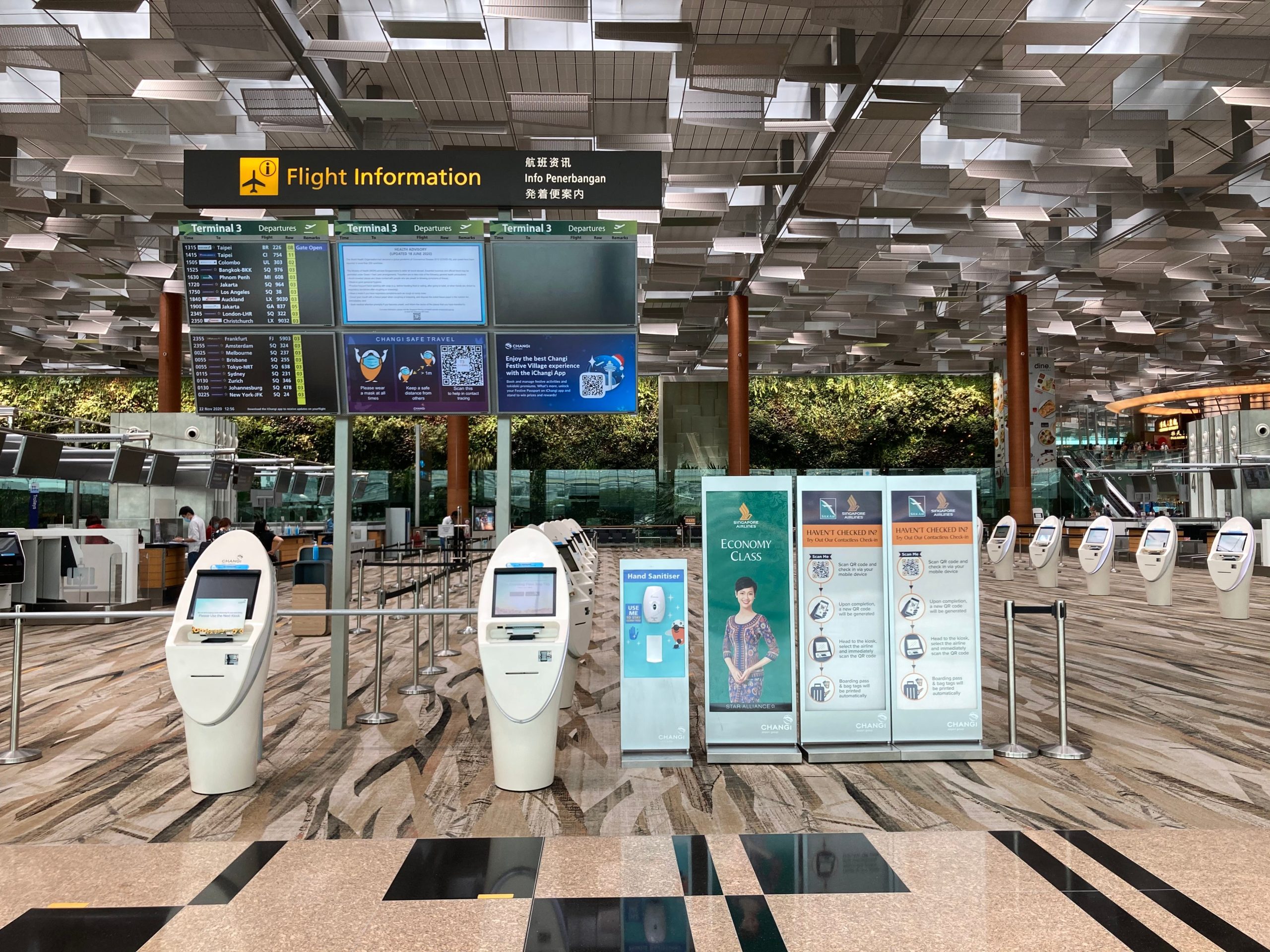
A self-service check-in point is usually the first real interaction a visitor has with a site. In hotels, clinics, offices, campuses, and service halls, the goal is to reduce waiting, guide people quickly, and keep staff focused on higher-value work. When the terminal is slow or confusing, the line gets longer, and the experience gets worse very quickly.
That is why the best check-in systems are designed around clarity, speed, and confidence. Users should understand what to do immediately, and every screen should move them one step closer to completion. A good Panel PC supports that by keeping the interface responsive and the hardware unobtrusive.
User flow design
A strong check-in flow should be short and predictable. In most cases, the user should arrive, identify themselves, confirm the booking or visit, and finish the process in just a few steps. The fewer extra decisions the user has to make, the less likely they are to abandon the process.
This is especially important in public-facing environments where people may be in a rush or unfamiliar with the system. The interface should use simple wording, clear hierarchy, and immediate feedback so each step feels obvious. In practice, that means the terminal should guide the user rather than force them to explore.
A practical flow usually includes:
-
A welcome screen with one clear action.
-
Identity or booking confirmation.
-
One or two guided verification steps.
-
A final screen for receipt, badge, ticket, or next-direction output.
Compact integration
Self-service check-in systems are often installed in tight lobbies, reception corners, or high-traffic public areas where space is limited. That is why compact integration matters so much. A Panel PC helps because the display, computing unit, and touch interface are built into one device, which reduces visible wiring and simplifies the overall installation.
Compact integration is not only about saving space. It also makes the terminal look more intentional, more professional, and easier to maintain. In environments like hotel lobbies or visitor desks, that visual order helps the hardware blend into the service environment instead of competing with it.
The best compact setup balances screen readability, touch comfort, and installation simplicity. If the device is too small, users struggle; if it is too large, it dominates the space. The goal is to fit the workflow, not just the cabinet.
Hardware requirements
The hardware requirements for a self-service check-in system are straightforward, but they matter a lot. The terminal needs a responsive touch display, stable computing performance, dependable connectivity, and a rugged enclosure that can handle daily public use. If one of those elements is weak, users feel it immediately.
Screen size is one of the first decisions. Compact spaces often need smaller industrial displays, but the interface still has to stay readable and easy to tap. Touch precision is just as important because lag or imprecise touch handling creates hesitation and repeated taps, which break the flow.
Industrial design is also a major advantage. Fanless construction supports quieter operation and reduces maintenance points, while VESA mounting makes integration into kiosks, counters, and wall systems much easier. This is why many public check-in deployments use industrial Panel PCs instead of consumer devices.
Key hardware priorities:
-
Responsive touch performance.
-
Stable computing power.
-
Compact and integrated enclosure.
-
Fanless or low-maintenance industrial design.
-
Reliable I/O and connectivity.
Deployment considerations
Good deployment starts with placement. The terminal should sit where people naturally approach it, with enough room to stand, read, and interact without blocking traffic. Mounting height and viewing angle affect usability just as much as the software design.
Connectivity is another critical point. Many check-in systems depend on booking data, authentication, or backend service workflows, so the hardware must support stable network access. If the connection is unreliable, the user may still see a polished screen, but the experience will feel delayed and uncertain.
Maintenance also needs to be planned from the beginning. The best deployments are built so staff can clean, service, and update the terminal without major downtime. In public service environments, that kind of practicality matters more than flashy features.
How to choose
The best way to choose a Panel PC for self-service check-in is to start with the workflow. First, define what the terminal must do: register a visitor, confirm a reservation, issue a ticket, or route the user to the next step. Then match the hardware to the space and traffic pattern.
If the terminal will run all day in a public lobby, industrial reliability becomes essential. If the site is compact, integrated hardware and tidy mounting matter even more. This approach keeps the project practical and helps avoid buying hardware that looks good on paper but does not improve the user experience.
A simple decision order works well:
-
Define the check-in workflow.
-
Decide how compact the integration must be.
-
Set the display size and touch requirements.
-
Confirm connectivity and mounting needs.
-
Choose the industrial hardware that fits the real environment.
FAQ
Why use a Panel PC for self-service check-in systems?
It integrates the screen, touch control, and computing power into one compact device, which simplifies deployment and improves usability.
What makes a check-in flow successful?
A successful flow is short, clear, and predictable, with minimal steps between arrival and completion.
How important is compact integration?
Very important. Compact integration reduces clutter, simplifies mounting, and makes the terminal easier to fit into public spaces.
What hardware features matter most?
Touch responsiveness, stable performance, reliable connectivity, industrial enclosure design, and easy mounting are the main priorities.
Why choose industrial hardware instead of consumer hardware?
Industrial hardware is better suited to long daily operation, public interaction, and maintenance-efficient deployment.
What screen size should be used?
It depends on the space and the task, but the display must always remain readable and comfortable to use without crowding the area.
A strong self-service check-in system is built around one idea: make the arrival process feel effortless. When the Panel PC supports a clean user flow, compact integration, and dependable hardware, it becomes a quiet but essential part of the service experience rather than just another terminal.
To discuss a Panel PC configuration for your self-service check-in project, view the manufacturer that makes Panel PC | LCDSLD and share your requirements.