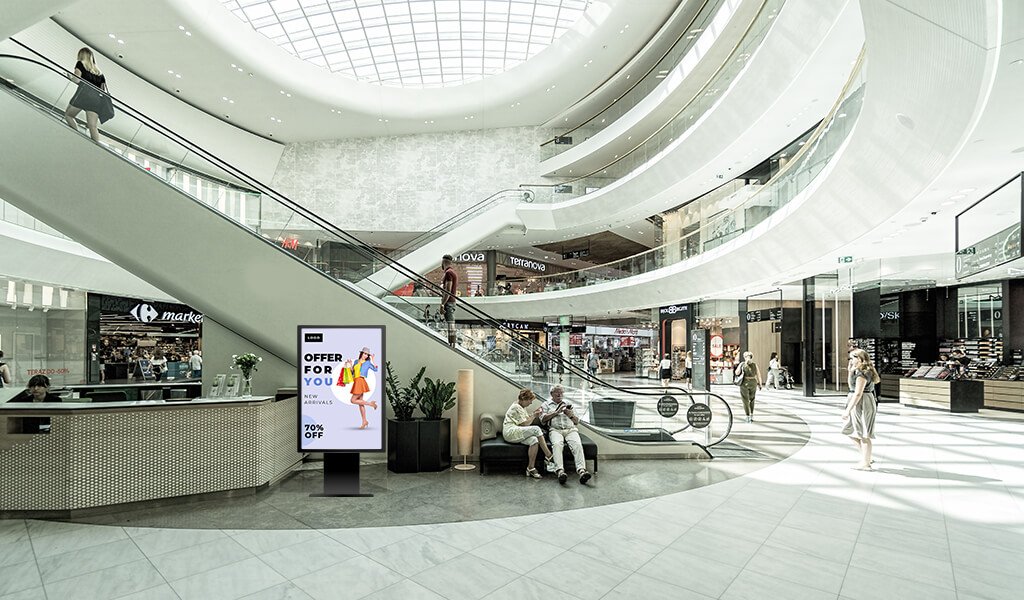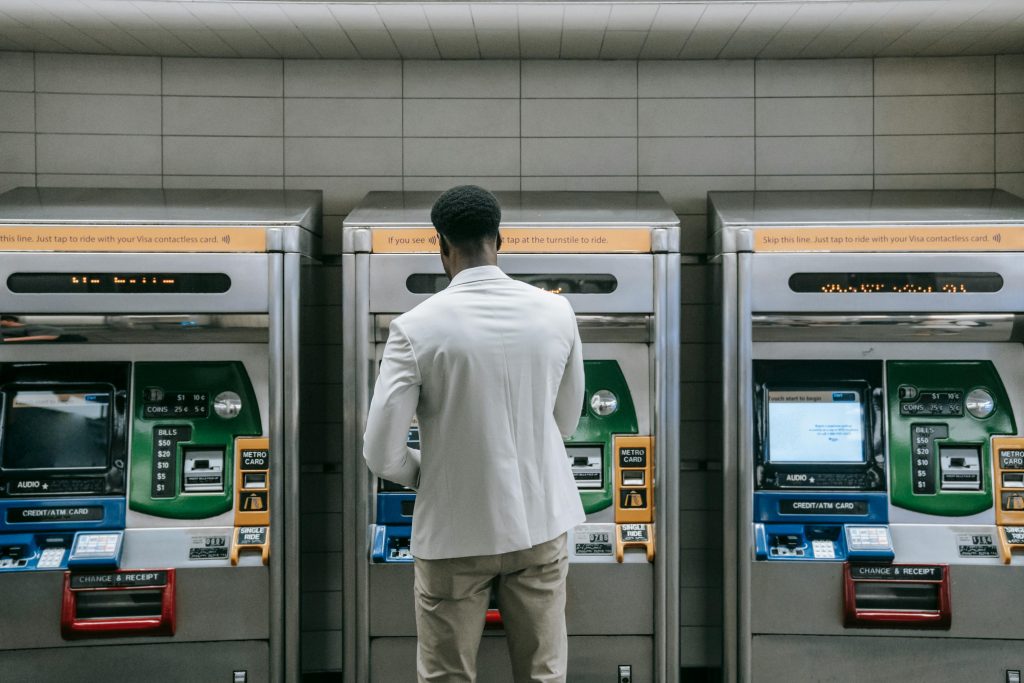
A ticketing & payment digital kiosk display is more than a screen with a checkout flow. It is a transaction device, a user interface, a payment endpoint, and often a public-facing service point that must run reliably in demanding environments.
For operators in transit, parking, entertainment, government, retail, and visitor services, the hardware and security choices behind the kiosk matter as much as the software. This article explains what to look for to build a secure, durable, and brand-ready kiosk solution that fits real-world use.
Why Ticketing & Payment Digital Kiosks Display Need More?
Standard information kiosks usually focus on browsing, directions, or promotion. Ticketing and payment kiosks have a different job: they must handle money, validate transactions, print or issue tickets, and protect sensitive user and payment data.
That means the kiosk has to operate under greater operational pressure, with stronger hardware, tighter access controls, and better security planning than a basic display-only unit.
If your kiosk will process payments, generate receipts, or connect to backend systems, it needs to be designed as a transaction platform from the start—not retrofitted later.
Where These Kiosks Are Used
Ticketing & payment digital kiosk displays appear in many high-traffic environments where speed and reliability matter.
Transportation
Airports, metro stations, and bus terminals use kiosks for ticket purchase, fare recharge, boarding support, and passenger guidance. These environments often require card payment, QR scanning, printed tickets, and integration with live backend systems.
Parking
Parking kiosks often support ticket issuance, fee payment, validation, and exit processing. In these settings, uptime and anti-tamper design are especially important because the kiosk is part of the daily traffic flow.
Entertainment and venues
Theatres, museums, stadiums, and event halls use payment kiosks to reduce queues and improve visitor flow. A well-designed kiosk can handle ticketing, add-ons, and self-service purchases with less staff involvement.
Government and public services
Bill payment, permits, fines, and service counters often depend on secure kiosk workflows. These applications usually require stronger auditability, access restrictions, and payment compliance.
Retail and hospitality
Retail stores, hotels, and service venues use transaction kiosks for self-checkout, gift card recharge, ticket pickup, reservations, and paid services.
Core Hardware
The success of a ticketing kiosk depends on how well its hardware components work together. A good system is not just a display; it is a complete transaction stack built inside a secure enclosure.
Display module
The screen should be bright, responsive, and readable in the intended environment. For public-facing use, a strong touch panel, wide viewing angles, and anti-glare treatment help keep the experience clear and professional.
If users will interact directly with the screen, touch accuracy and durability become critical. If the kiosk is mainly for passive ticket purchase or payment confirmation, a non-touch display may still be appropriate depending on the workflow.
Embedded computing
Many kiosks use an embedded Android player, while others rely on an industrial PC or a dual-OS configuration. The right choice depends on the software stack, peripheral support, remote management requirements, and long-term maintenance expectations.
Android is often attractive for content simplicity and deployment efficiency, while PC-based systems may be preferred when the project needs deeper integration or enterprise-grade software compatibility.
Payment peripherals
A payment kiosk may need one or more of the following:
-
Card reader.
-
NFC or contactless payment module.
-
QR scanner.
-
Receipt printer.
-
Bill or coin acceptor.
-
ID or barcode reader.
The peripheral set should match the transaction model. For example, a transit kiosk may need ticket printing and QR validation, while a government payment kiosk may need ID lookup, card processing, and audit logging.
Enclosure and mounting
The enclosure should protect the device, organise internal wiring, and resist tampering. Depending on the venue, the kiosk may be floor-standing, wall-mounted, pedestal-based, or cabinet-integrated.
A strong enclosure also improves the customer experience by making the kiosk feel like a purpose-built service point rather than a collection of devices placed together.
Thermal management
When a kiosk runs for long hours in a public environment, heat control becomes important. Internal ventilation, component spacing, and fan placement should support stable performance without creating noise or maintenance problems.
Security Layers
Security is not one feature. It is a system of layers that protects the kiosk, the transaction, and the data behind it.
Physical security
Physical security starts with lockable access panels, protected ports, secure cable routing, and a chassis that is difficult to open or damage without authorisation. In public spaces, this is essential because the kiosk will be exposed to both casual contact and intentional misuse.
Payment security
Any kiosk that processes payments should support secure payment workflows, encrypted communication, and PCI-aware integration practices. Payment hardware should be chosen with the same care as the software layer, because the weakest link often determines the overall risk.
OS and software security
Kiosk mode, app whitelisting, remote updates, and restricted access are all important parts of software security. A well-configured system should prevent users from leaving the intended workflow, opening unauthorised apps, or changing device settings.
Operational security
Operational security includes role-based access, service authentication, audit trails, and remote monitoring. If the kiosk is deployed across multiple sites, the ability to manage devices centrally becomes even more important.
Anti-tamper design
Ports, storage devices, cash paths, and service access points should all be designed to reduce tampering risk. In high-traffic public locations, even small design details can have a big impact on security and uptime.
Choosing the Right Kiosk Architecture
The right architecture depends on what the kiosk needs to do and where it will live.
Transaction-heavy environments
If the kiosk handles frequent payments, ticket printing, or validation, prioritise robustness, peripheral integration, and service access. These projects usually need stronger enclosures and more controlled internal layouts.
Lightweight payment workflows
If the kiosk only needs to accept payment and confirm a transaction, the system can be simpler. In these cases, a lean Android-based setup may be enough if the application is well designed.
Multi-site deployments
If you are rolling out kiosks across several locations, remote content control and device management become major priorities. A kiosk that is easy to maintain at one site may become difficult to support at scale if the system architecture is not planned properly.
Why Work With a Manufacturer
Working directly with a manufacturer gives you more control over how the kiosk is built, secured, and supported.
This matters because ticketing and payment kiosks are rarely one-size-fits-all. A manufacturer can help align:
-
Screen size.
-
Enclosure design.
-
Internal layout.
-
Peripheral placement.
-
OS selection.
-
Branding.
-
Installation method.
For many projects, that means fewer compromises and a more professional final result. It also makes it easier to design for future maintenance, scaling, and replacement planning.
How LCDSLD Approaches Custom Kiosk Projects
At LCDSLD, custom kiosk solutions are built around the actual use case, not just the hardware list.
For a ticketing or payment kiosk, that means we look at the display, the enclosure, the embedded player, the peripherals, and the security model as one connected system. The goal is to create a kiosk that feels reliable to users, manageable for operators, and consistent with the brand environment.
Typical customization options
-
Custom housing design.
-
Embedded Android players.
-
Touch or non-touch display configuration.
-
Printer and scanner integration.
-
Secure access panels.
-
Branded finishes and exterior design.
Typical deployment needs
-
Parking payment.
-
Transit ticketing.
-
Event entry.
-
Self-service billing.
-
Retail checkout support.
-
Public-service transactions.
How to Start Your Project
The best starting point is a clear project brief.
Share these details first
-
Use case.
-
Location.
-
Transaction type.
-
Payment method.
-
Ticketing or printing needs.
-
Screen size preference.
-
Touch vs non-touch.
-
Indoor or outdoor deployment.
-
Branding requirements.
-
Timeline and quantity.
Ask the right questions
Before moving forward, ask:
-
How will the kiosk be secured?
-
Which payment peripherals are required?
-
How will software updates be managed?
-
What happens if a component needs replacement?
-
Is the design scalable for future locations?
Plan for long-term support
A ticketing kiosk is not just a purchase; it is part of an ongoing service workflow. Choosing a design that is easy to maintain can reduce downtime and improve the user experience over time.
If you have a ticketing or payment project in mind, send us your requirements, and we can recommend the right kiosk solution.
FAQ
What makes a ticketing kiosk different from a standard digital kiosk?
A ticketing kiosk must handle transactions, peripherals, and stricter security requirements, while a standard kiosk may only display information.
Can a payment kiosk run on Android?
Yes. Many projects use embedded Android players, especially when the workflow is streamlined and peripheral support is straightforward.
What security features matter most?
Physical locks, secure cable routing, payment encryption, kiosk mode, and controlled software access are among the most important.
Do I need a custom kiosk for payments?
Often yes, especially if the workflow involves printing, scanning, branding, or a specific enclosure shape.
Can LCDSLD customise ticketing kiosk hardware?
Yes. LCDSLD supports custom kiosk solutions that can include display, enclosure, embedded computing, and integration requirements.
If you want help selecting the right architecture, contact our team for a tailored recommendation.