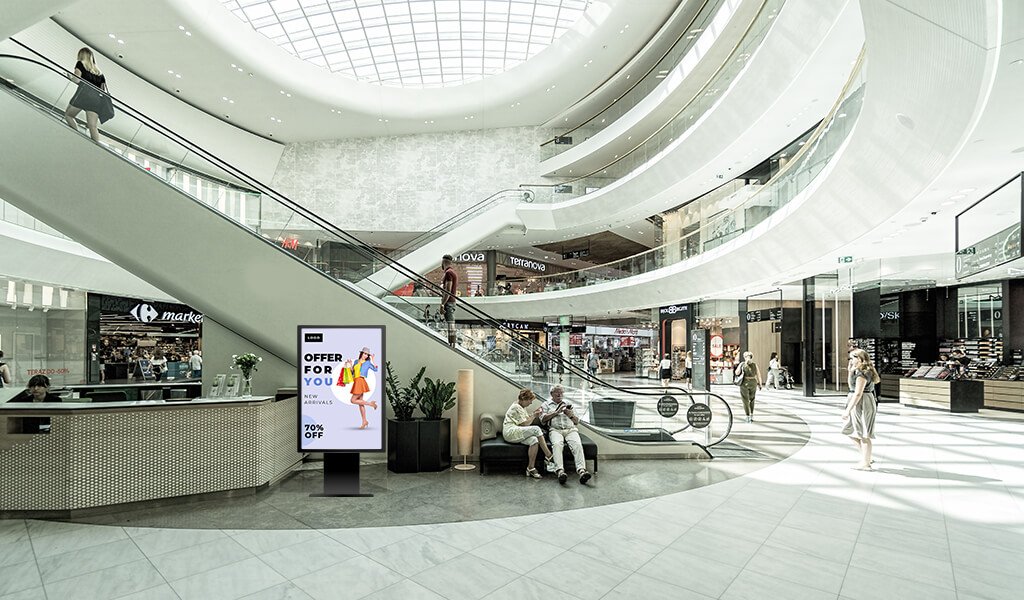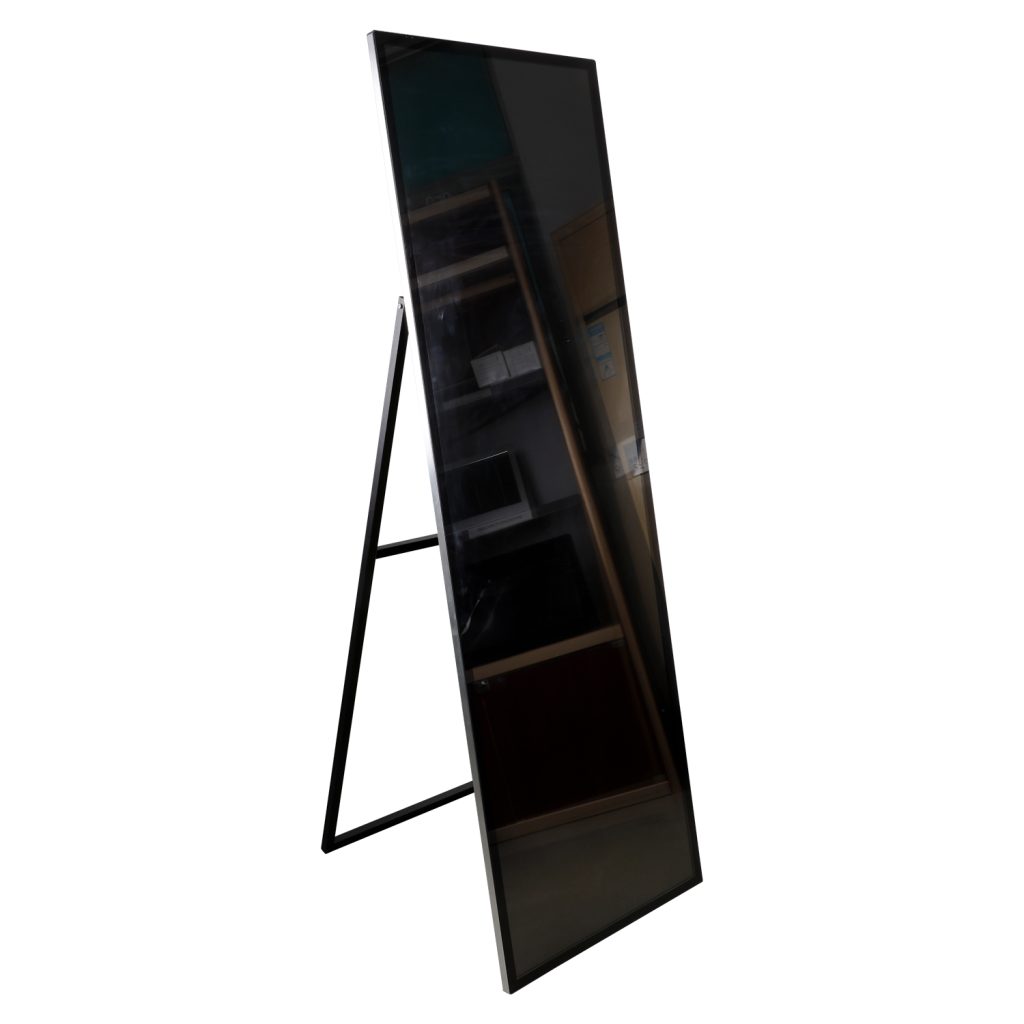
Not every kiosk needs to be interactive. In many spaces, a non-touch digital kiosk display is the better choice because it delivers clear, attractive content without the added complexity of a touch interface.
For advertising, menu boards, lobby announcements, and information screens, a digital kiosk display without touch can be simpler to deploy, easier to maintain, and more cost-effective over time.
Quick Comparison at a Glance
If your goal is to help people view content rather than use a self-service application, a non-touch kiosk often makes more sense.
If you are still deciding between the two, think about whether your visitors need to read the screen or use the screen.
What Is a Non-Touch Digital Kiosk Display?
A non-touch digital kiosk display is a screen-based kiosk that shows video, images, text, schedules, menus, or announcements without requiring the user to interact with it. It can be freestanding, wall-mounted, or built into a custom enclosure depending on the installation environment.
This type of kiosk is often used when the message needs to be seen clearly and quickly, but no input, search, or transaction is needed.
When You Don’t Need Touch Interaction
Not every project benefits from touch. In some cases, interaction adds unnecessary cost, more maintenance points, and more planning than the site actually needs.
A display-only kiosk is usually a better fit when:
-
The content loops continuously.
-
The goal is to inform, advertise, or guide.
-
Users do not need to enter data.
-
The message should be seen quickly and absorbed at a glance.
For many businesses, the simpler setup is not just easier to manage. It is also better aligned with how the display is actually used.
If your project only needs to display information, a non-touch kiosk may be the more practical choice.
Benefits of Display-Only Kiosks
A display-only kiosk offers a number of practical advantages, especially for businesses that want strong visual communication without the added complexity of interactivity.
Lower complexity
With fewer components and no touch layer to manage, non-touch kiosks are generally easier to deploy and easier for staff to support.
Better durability
Because users are not tapping or swiping the screen, the display may experience less interaction-related wear over time.
More cost-efficient
For many projects, skipping touch hardware can reduce both upfront cost and ongoing maintenance requirements.
Strong visual impact
Non-touch kiosks can deliver high-visibility messaging in retail, hospitality, transit, and public spaces where the goal is to attract attention quickly.
Common Use Cases
Non-touch kiosks are especially effective in places where the screen is meant to communicate, not complete a task.
Advertising screens
They are a strong fit for retail promotions, brand videos, seasonal campaigns, and product highlights.
Menu boards
Restaurants and cafes often use non-touch displays to show menus, offers, and rotating product visuals without requiring user input.
Information screens
Airports, lobbies, museums, and public venues use display-only kiosks for schedules, announcements, maps, and general information.
Retail and showroom displays
These are useful for brand storytelling, featured products, and in-store campaign messaging.
Explore our display-only kiosk and signage solutions to see how a non-touch setup can fit your space.
Hardware Considerations for Non-Touch Kiosk Displays
Even without touch, a kiosk still needs the right hardware to perform well in a public environment.
Screen brightness
Brightness matters when the display will be used in bright indoor spaces or near windows. High-brightness screens help keep the content visible and readable.
Viewing angle
A wide viewing angle helps the content remain clear from different positions in the room.
Enclosure and protection
The housing should match the environment, whether the unit is freestanding, wall-mounted, or built for continuous use.
Operating system
Depending on the content workflow, Android or another media-player platform may be used for simple playback and scheduling.
Installation format
The best format depends on the venue. Freestanding, wall-mounted, and custom configurations are all possible depending on space and visibility needs.
See our non-touch kiosk-compatible display options if you want a model designed for continuous signage use.
Non-Touch Digital Kiosk Solutions from LCDSLD
LCDSLD offers kiosk solutions that can be adapted for display-only use across retail, hospitality, public spaces, and other commercial environments.
Product category link
https://lcdsld.com/product-category/kiosk/
Relevant product examples
https://lcdsld.com/product/32-inch-commercial-android-kiosk/
https://lcdsld.com/product/32-inch-commercial-pop-kiosk/
Why choose LCDSLD
If you want a solution that can be tailored by size, mounting style, and installation environment, working directly with a manufacturer gives you more flexibility.
Send us your project details, and we’ll recommend the right display-only kiosk solution.
How to Decide Between Touch and Non-Touch
The easiest way to choose is to ask one simple question: does the visitor need to use the screen or just view it?
Choose non-touch if
-
The screen is mainly for advertising or information.
-
Content runs in a loop.
-
You want lower complexity and lower maintenance.
-
Users do not need to search, enter data, or complete tasks.
Choose touch if
-
Users need self-service.
-
The kiosk supports ordering, check-in, wayfinding, or transactions.
-
Interaction is part of the customer journey.
Final decision rule
If the display is meant to be looked at, choose non-touch.
If the display is meant to be used, choose touch.
Frequently Asked Questions
Is a non-touch kiosk cheaper than a touch kiosk?
In many cases, yes, because the hardware and maintenance requirements are simpler.
What industries use non-touch kiosks most often?
Retail, restaurants, transportation, hospitality, and public information environments are common users.
Can a display-only kiosk still be effective for retail?
Yes. It works very well for promotions, product storytelling, and in-store brand communication.
Do non-touch kiosks need less maintenance?
Usually, yes, because there is no touch layer to maintain and fewer interaction-related issues to manage.
When should I choose non-touch instead of touch?
Choose non-touch when your goal is clear display communication rather than user interaction.
If you need help deciding, contact our team for a tailored recommendation.