Deploying an outdoor Digital Screen Kiosk at scale takes more than choosing a display and placing an order. Outdoor projects need stable power, dependable connectivity, weather protection, and a safety plan that works across every site, not just the first one.
When those basics are planned correctly, outdoor kiosks can do what they are supposed to do: stay visible, stay online, and keep serving people in real-world conditions.
How to Deploy Outdoor Digital Screen Kiosks?
Start With the Site
The best outdoor kiosk projects begin with a site review. Before anything is installed, you need to understand where the kiosk will go, how power will reach it, how the network will connect, and how service teams will access it later.
A good site review answers a few simple questions:
-
Is there stable power nearby?
-
Can the kiosk connect through Ethernet, Wi-Fi, or cellular?
-
Is the mounting surface strong enough?
-
Will rain, heat, dust, or direct sun affect performance?
-
Can technicians reach the unit safely for maintenance?
Outdoor sites are rarely identical. A shopping centre entrance, a transit stop, and a roadside information point may all need different installation decisions.
Power Comes First
Power is one of the most important parts of the entire project. If power is unstable or difficult to service, the kiosk will cost more to operate and will be harder to support over time.
What to plan
-
Confirm the power source before installation begins.
-
Add surge protection to reduce the risk of electrical damage.
-
Make sure the kiosk can be serviced without major disruption.
-
Consider heating, cooling, or ventilation if the climate demands it.
Outdoor enclosures often need thermal control to stay reliable in hot or cold weather. If the site is exposed to seasonal extremes, this is not a nice-to-have detail — it is part of uptime.
Connectivity Should Fit the Location
A kiosk is only useful if it can stay connected to the content and management systems behind it. That is why connectivity should be chosen based on the site, not on habit.
Common options
-
Ethernet for fixed sites with strong infrastructure.
-
Wi-Fi where wireless coverage is dependable.
-
Cellular for remote or infrastructure-light locations.
The right answer depends on the environment. A mall frontage may support wired service, while a public plaza or roadside location may need a cellular fallback or hybrid setup.
Plan for weak signals
Outdoor sites do not always have perfect connectivity. That is why offline fallback, cached content, and remote management matter. They help the kiosk keep working even when the network is down or unstable.
If you are rolling out multiple kiosks, this becomes even more important. A well-managed network can keep content moving and reduce the need for on-site troubleshooting.
Safety Is Part of the Product
Outdoor kiosks are public-facing devices, so safety must be built into the design from the beginning. That includes weather protection, vandal resistance, and structural stability.
Safety essentials
-
Weatherproof enclosure and sealing.
-
Protective glass and tamper-resistant hardware.
-
Strong mounting and secure base design.
-
Clean cable routing with protected access points.
-
Placement that does not interfere with pedestrian flow.
A kiosk that is easy to damage or difficult to maintain will always be more expensive in the long run. Good safety planning protects both the hardware and the people using it.
Scale Makes Planning More Important
One kiosk can be managed manually. Ten kiosks, or fifty, cannot. Once the project scales, consistency becomes the difference between a smooth rollout and a support headache.
What scaling changes
-
Site standards need to be repeatable.
-
Installation steps need to be documented.
-
Maintenance needs to be easier.
-
Remote monitoring becomes much more valuable.
-
Spare-part planning matters more.
The larger the deployment, the more important it is to standardise the hardware configuration and the support process. That reduces mistakes, shortens installation time, and helps every site behave the same way.
Best-Fit Outdoor Use Cases
Outdoor kiosk projects usually fall into a few common categories. Each has its own priorities, but all benefit from the same core planning discipline.
Retail exteriors
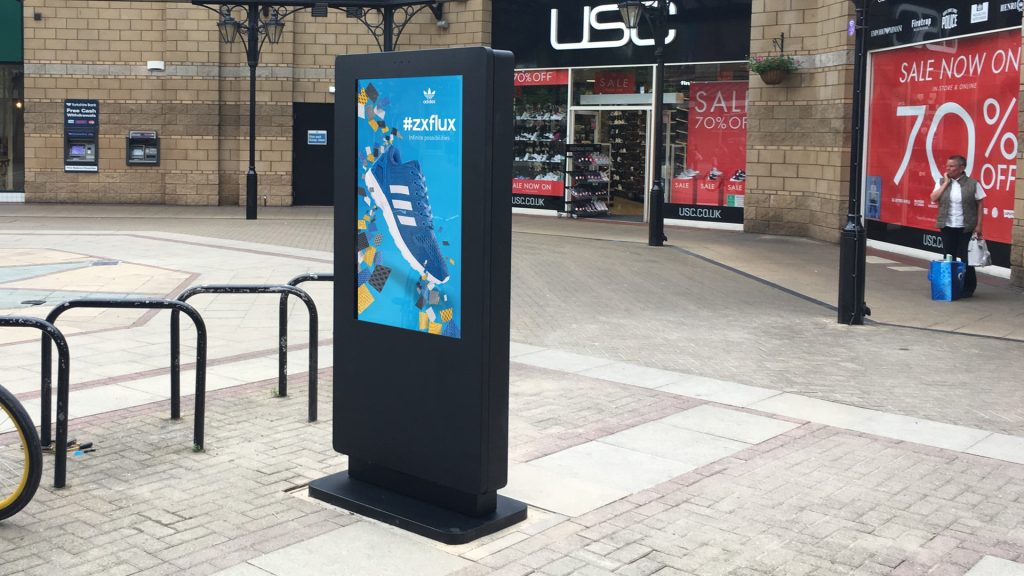
Outdoor kiosks can support promotions, store directories, and after-hours messaging at storefronts and shopping centres.
Transportation and smart city sites
These deployments often need high visibility, strong uptime, and simple public access because they deliver passenger information or civic messaging.
Hospitality and entertainment venues
Outdoor kiosks can help with wayfinding, guest information, and event communication where people move between indoor and outdoor spaces.
Public service environments
Government and civic applications often require dependable messaging, accessibility, and safe public interaction.
LCDSLD Product Links
If you are comparing outdoor kiosk options, these product pages can help you move from planning to selection:
-
Explore the Outdoor Kiosk category for weatherproof kiosk solutions.
-
View the 43 Inch Outdoor Android Kiosk for a high-visibility outdoor interactive format.
-
Browse the Kiosk Product Category for additional commercial kiosk options.
-
Visit the LCDSLD Shop for more display and kiosk products.
How LCDSLD Approaches Outdoor Deployment
At LCDSLD, outdoor deployment is treated as a complete solution, not a single hardware decision. The goal is to match the display, enclosure, power design, connectivity, and maintenance workflow to the actual site conditions.
That is the difference between a kiosk that looks good on installation day and one that keeps performing month after month. For outdoor projects, long-term reliability matters more than a quick spec comparison.
Deployment Checklist
Before you scale an outdoor kiosk rollout, confirm these items:
-
Stable power access is in place.
-
Surge protection is included.
-
The connectivity path is appropriate for the site.
-
The enclosure is weatherproof.
-
The kiosk is protected from tampering.
-
The mounting is structurally secure.
-
Public safety has been reviewed.
-
Remote monitoring is ready.
If those foundations are in place, the deployment becomes much more predictable and much easier to support.
If you are planning an outdoor kiosk project, the best next step is to review the site, confirm the operating environment, and choose a configuration that fits the conditions, not just the budget.
Talk to LCDSLD if you want help selecting the right outdoor kiosk solution for power, connectivity, and safety requirements.