



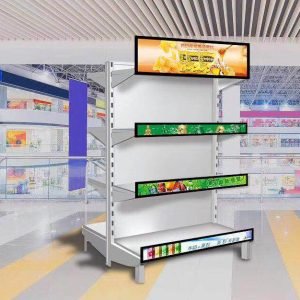
The display is the most visible and critical part of any digital kiosk. A high‑quality digital kiosk display not only makes content easy to read but also shapes how users perceive your brand and how long the hardware will remain usable. In fast‑developing regions such as Southeast Asia and the Middle East, where malls, transport hubs, and smart city projects are rapidly evolving, choosing the right kiosk screen can determine whether your project succeeds or struggles.
This buyer’s guide walks you step by step through the key specifications and trade‑offs so you can select the right digital kiosk display for your project with confidence. Whether you are building interactive kiosks with Android, PC‑based terminals, or integrated outdoor units, you will find practical guidance and real‑world considerations drawn from deployed projects.
If you are new to kiosks in general, you may also want to read our comprehensive Digital Screen Kiosk guide for a full system‑level perspective.
What Is a Digital Kiosk Display?
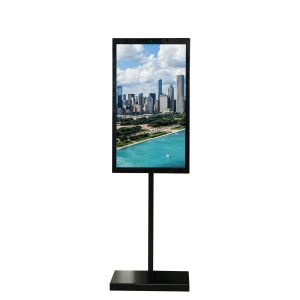
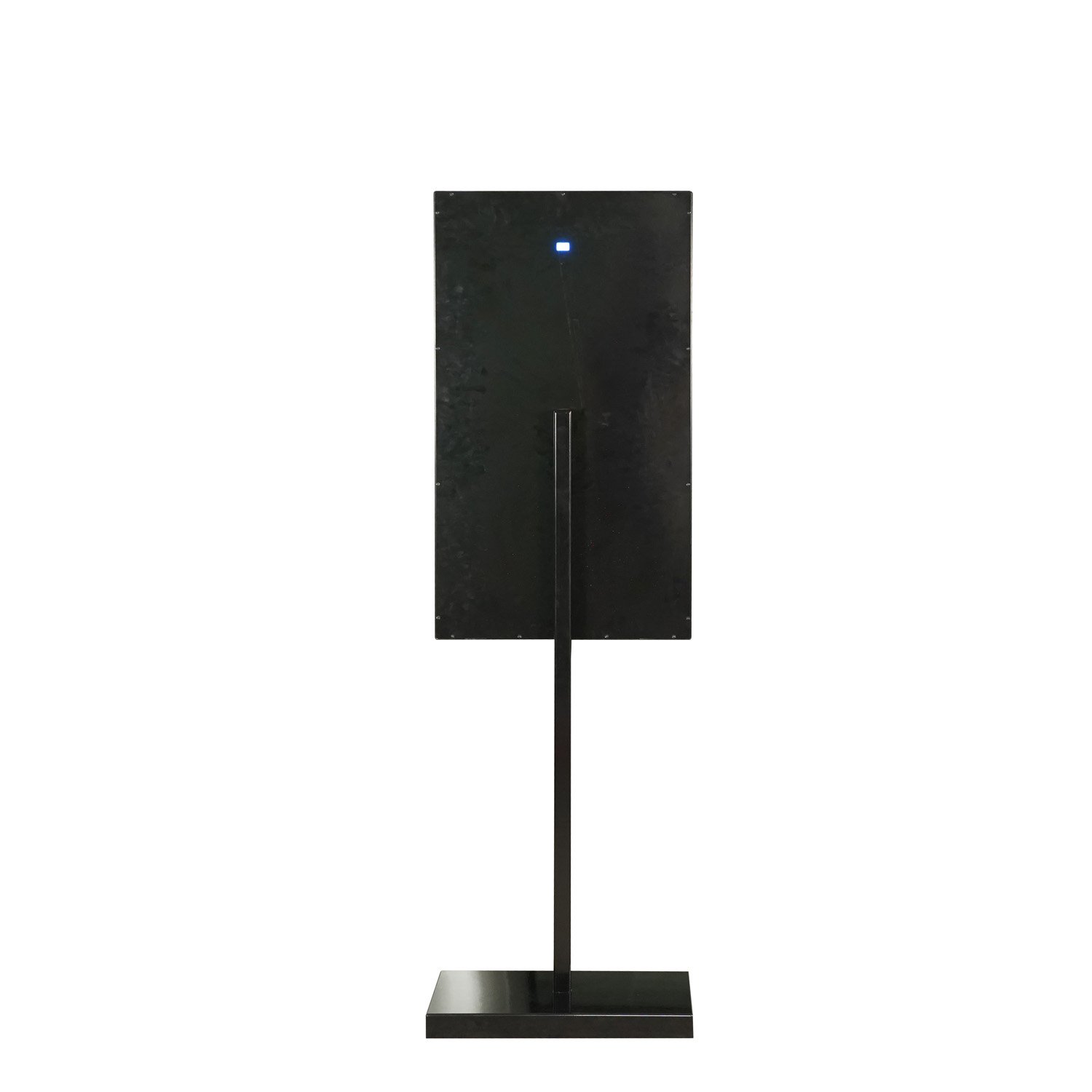
A digital kiosk display is a professional‑grade screen purpose‑built for kiosk applications, engineered to operate for long hours, withstand frequent interaction, and remain readable under varying lighting conditions. Unlike consumer TVs, kiosk displays are optimised for reliability, brightness, and integration into custom enclosures.
Key characteristics include:
-
Extended operating life and high reliability for 12–24/7 usage
-
Higher brightness options for bright indoor or outdoor environments
-
Industrial or commercial panel grades, rather than consumer TV panels
-
Mechanical compatibility with kiosk enclosures, mounts, and front glass
In Southeast Asia and the Middle East, kiosk displays are often installed in malls, hotels, airports, and outdoor plazas that operate long hours every day. A consumer TV may look similar at first glance, but it usually lacks the durability, brightness, and warranty coverage needed for these environments.
You can see how these displays are integrated into complete kiosks in our Kiosk category and Outdoor Kiosk category.
Key Specifications of a Digital Kiosk Display
Choosing the right kiosk display starts with understanding the main specifications that affect readability, durability, and cost. Focusing on these specs prevents costly mistakes and unnecessary upgrades later.
Screen Size and Aspect Ratio
Screen size drives both the visual impact and ergonomics of your kiosk. The right size depends on viewing distance, available space, and the type of content you plan to show.
Typical guidelines:
-
21.5″–27″
Best for compact kiosks in corridors, near counters, or in clinics and small receptions. Suitable for interactive forms, queue systems, or focused information where the user stands close to the screen. -
32″–43″
A balanced size for shopping malls, retail stores, and corporate environments, where users may stand at arm’s length or slightly further away. Ideal for wayfinding, product browsing, and mixed information. -
49″–55″
Large‑format displays are used in open atriums, hotel lobbies, transport hubs, or outdoor plazas, where content must be visible from a distance. These are often used in portrait orientation for directory‑style layouts or wide landscape layouts for menu boards and information bars.
Most kiosk displays use a 16:9 aspect ratio to align with standard content creation and hardware platforms. In some specialised applications—such as ultra‑wide directories or special‑shaped screens—other ratios may be used, but they require more careful content planning.
Our Custom Mall Kiosk range covers multiple size options, including 21.5‑inch, 27‑inch, and larger screens suitable for both compact and high‑impact kiosks.
Resolution
Resolution determines how sharp your text, images, and videos appear, especially at close viewing distances. For most kiosk applications, Full HD (1920×1080) is the baseline, delivering enough clarity for text and images on 21.5″–49″ screens at normal viewing distances.
4K (3840×2160) resolution becomes more relevant for:
-
Large screens (49″–55″ and above) viewed at shorter distances
-
Premium environments such as high‑end boutiques, luxury hotels, or corporate flagships
-
Applications with detailed content, such as maps, floor plans, or fine‑text dashboards
However, 4K also increases demands on your media player, network bandwidth, storage, and content creation workflows. It is usually better to use well‑designed Full HD content than to deploy 4K hardware without a plan for 4K‑grade visuals.
Brightness and Contrast Ratio
Brightness, measured in nits (cd/m²), is critical for readability in bright environments, especially near windows or outdoors. Contrast ratio affects how easily users can distinguish text and UI elements against backgrounds.
Rough brightness guidelines:
-
Standard indoor: ~300–500 nits
Suitable for typical indoor office or retail spaces without strong direct light. -
Bright indoor / semi‑indoor: ~500–700+ nits
Recommended for glass‑heavy malls, near atriums or large windows, and some semi‑outdoor spaces in Southeast Asia and the Middle East. -
Outdoor/direct sunlight: 1500–2500+ nits
Needed for kiosks installed in open plazas, streets, transport hubs, or drive‑thru environments with direct sun exposure.
Contrast ratio and panel technology (such as IPS) also influence perceived brightness and clarity. A well‑chosen combination of brightness, contrast, and anti‑glare treatment helps ensure that content remains legible throughout the day.
Our Outdoor LCD Kiosk Supplier guide explains how we match brightness and enclosure design to demanding outdoor conditions.
Viewing Angle and Colour Performance
Digital kiosk displays are often viewed from the side, from below, or while users are moving past, so wide viewing angles and stable colour reproduction are essential. Poor viewing angles cause colours to wash out and text to become hard to read, which is especially problematic in wide corridors or open public spaces.
IPS (In‑Plane Switching) panel technology is commonly used for kiosk displays because it delivers:
-
Wide viewing angles (typically 178° horizontal and vertical)
-
Stable colour reproduction even at off‑axis viewing angles
-
Good consistency across multiple units in a network
In malls, hotel lobbies, and transport hubs in Southeast Asia and the Middle East, where viewers approach kiosks from many directions, wide viewing angles are a must rather than a luxury.
Protective Glass and Surface Treatment
Kiosk displays typically sit behind protective glass to defend against scratches, impacts, and vandalism. Surface treatments such as anti‑glare (AG) or anti‑reflective (AR) coatings further improve readability in challenging lighting.
Key considerations:
-
Glass type: Tempered or laminated safety glass is recommended for public environments. It resists impact better and breaks more safely if damaged.
-
Thickness: Thicker glass offers better protection but can add weight and affect touch sensitivity if not matched correctly with the touch technology.
-
Surface treatment: AG coatings reduce harsh reflections; AR coatings improve overall clarity and contrast in bright conditions. Both are valuable in glass‑rich indoor spaces and especially outdoors.
Our Outdoor Kiosk designs incorporate protective glass and vandal‑resistant features as standard.
Indoor vs Outdoor Digital Kiosk Displays
Indoor and outdoor kiosk displays share the same basic function but face very different operating conditions. Understanding these differences will help you avoid using the wrong display in a demanding environment.
Indoor Kiosk Displays
Indoor displays are optimised for comfort and aesthetics rather than extreme durability. They are used in environments like:
-
Shopping malls and retail stores
-
Corporate offices and lobbies
-
Hospitals and clinics
-
Schools and universities
-
Hotels and indoor attractions
Indoor displays can usually operate with moderate brightness and do not need full weatherproofing. They can be integrated into slim enclosures and more ambitious design concepts, since they are less constrained by temperature and moisture.
Outdoor Kiosk Displays
Outdoor kiosk displays must address:
-
Direct sunlight and glare
-
Wide temperature range (including high heat in the Middle East)
-
Rain, humidity, and condensation
-
Dust, sand, and pollution
-
Vandalism and accidental impact
This requires high‑brightness panels, robust enclosures, advanced cooling, and appropriate IP ratings. Outdoor displays are typically paired with sealed housings, security locks, and sometimes internal climate control systems.
If your deployment is in a semi‑outdoor environment—such as a covered but open‑air mall area in Southeast Asia—you may need something between pure indoor and pure outdoor specifications. Our team can recommend suitable options based on your exact site conditions through our Outdoor LCD Kiosk Supplier resources.
Touch vs Non‑Touch Digital Kiosk Displays
Not every kiosk needs touch, and not every application can succeed without it. Evaluating whether to use touch or non‑touch displays depends on your user journey, content, and environment.
When to Use Touch Displays
Touch displays are essential when users must:
-
Search or filter information (stores, services, products)
-
Enter data or fill out forms
-
Check in, register, or take queue numbers
-
Place orders and complete payments
In Southeast Asia and the Middle East, touch kiosks are now common in malls, QSRs, hospitals, and government centres, where smartphone‑literate populations expect interactive screens. A well‑designed touch interface can significantly reduce waiting times and free staff from repetitive tasks.
Touch displays require:
-
Robust touch technology (PCAP or IR) matched to the screen size
-
Protective glass that does not compromise touch performance
-
Good responsiveness, even with frequent cleaning or in humid conditions
When to Use Non‑Touch Displays
Non‑touch digital kiosk displays are best when your goals are:
-
High‑impact branding and visual campaigns
-
Digital menu boards and price boards
-
Passive information screens in corridors or waiting areas
-
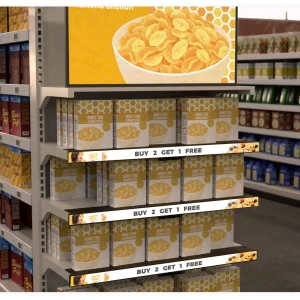
DOOH advertising and promotional loops
These displays function like digital posters, with content scheduled and updated through a CMS. They can be more cost‑effective when interaction is not needed and are easier to maintain and clean in high‑traffic spaces.
A mixed fleet—using touch displays for service‑oriented kiosks and non‑touch displays for broadcast messaging—often delivers the best overall result. You can browse interactive and non‑interactive solutions in our Kiosk catalogue.
Android Kiosk Displays vs PC‑Based Screens
Selecting the right platform for your kiosk display—Android or PC‑based—affects performance, cost, and manageability.
Android Kiosk Displays
Android‑based displays integrate an embedded Android board or SoC behind the panel, forming a compact all‑in‑one solution. They are widely used in Southeast Asia and the Middle East because they offer:
-
Lower hardware cost and power use
-
A familiar development environment for mobile‑style apps
-
Easy integration with cloud‑based CMS and management tools
-
Kiosk mode capabilities and OTA updates for remote maintenance
Android displays are ideal for:
-
Retail and mall kiosks
-
QSR and F&B self‑order kiosks
-
Information and wayfinding kiosks
-
Healthcare and hospitality self‑service points
You can explore our Android‑powered solutions on the Android Touch Screen Kiosk Supplier page and the Android Industrial Panel PC category.
PC‑Based Kiosk Displays
PC‑based kiosks usually use Windows‑ or Linux‑based mini‑PCs, OPS modules, or industrial computers. They are suitable when you need:
-
Integration with existing Windows enterprise software
-
Advanced analytics or heavy local processing
-
Custom device drivers or specialised peripherals
-
Support for legacy systems that are not available on Android
PC‑based kiosk displays may have higher initial and operating costs and require more careful IT management, but they offer the highest flexibility for complex or specialised deployments, including some government, financial, and industrial applications in the Middle East.
Recommended Display Specs by Industry
To simplify planning, you can start from proven display configurations for different industries and then adjust as needed.
Shopping Malls and Retail
For malls and retail in Southeast Asia and the Middle East:
-
Size: 32″–49″ for wayfinding and directories, 21.5″–27″ for small interactive points
-
Brightness: 500–700+ nits for bright indoor environments
-
Orientation: Portrait for directories and campaigns, landscape for mixed content
-
Platform: Android for interactive apps; non‑touch for promotional loops
See real mall‑oriented designs in our Custom Mall Kiosk catalogue.
QSR and Restaurants
For QSR and F&B chains:
-
Menu boards: 43″–55″ landscape, non‑touch, bright indoor or semi‑outdoor brightness
-
Self‑order kiosks: 27″–43″ portrait touch displays
-
Drive‑thru: High‑brightness outdoor displays with weatherproof enclosures
Outdoor and drive‑thru concepts are covered in our Outdoor Kiosk and Outdoor LCD Kiosk Supplier pages.
Healthcare, Transport, Corporate, Education, Hospitality
-
Healthcare: 21.5″–27″ touch displays for check‑in and queue kiosks; moderate to high brightness depending on interior lighting.
-
Transport hubs: 32″–55″ high‑brightness displays for schedules and maps, often with multi‑language support.
-
Corporate & education: 27″–43″ displays for lobbies, information points, and room booking panels.
-
Hotels & resorts: 32″–49″ displays for concierge kiosks and digital signage in lobbies and common areas.
Matching Display Hardware with CMS and Content
Even the best display hardware will underperform if the content is poorly designed or difficult to manage. Your digital kiosk display choice should align with your CMS capabilities, content strategy, and update frequency.
Consider:
-
Resolution and orientation: Ensure your content is designed for the exact pixel dimensions and orientation of your displays.
-
Layout: Interactive UI elements must be large enough for comfortable touch interaction; information screens need a clear hierarchy and typography.
-
Multi‑language support: In multicultural regions like Southeast Asia and the Middle East, plan for multiple languages and consider how they affect text length and layout.
A cloud‑based CMS tied to Android or PC‑based players simplifies maintaining consistent content across multiple displays and locations. For ideas on integrated display and content solutions, review our wholesale digital kiosk display supplier overview.
Common Mistakes When Choosing Digital Kiosk Displays
Many kiosk projects run into avoidable problems because display requirements were underestimated.
Frequent mistakes include:
-
Choosing brightness that is too low for the environment makes content hard to read.
-
Using consumer TVs instead of commercial or industrial panels leads to early failures.
-
Underestimating reflections and glare from nearby glass and lighting.
-
Ignoring future needs, such as new content types, languages, or additional data display.
-
Over‑specifying for the use case, such as deploying expensive outdoor‑grade screens in safe indoor environments without justification.
Avoiding these pitfalls starts with site assessment, clear use cases, and a realistic understanding of your content and growth plans.
Example Digital Kiosk Display Solutions
To illustrate how the above recommendations come together, consider these typical configurations drawn from our product portfolio:
-
27‑inch indoor touch display for healthcare and corporate
A Full HD PCAP touch screen with moderate brightness, suited for hospital check‑in kiosks or corporate reception systems. Runs on Android for simple integration with CMS and web‑based applications. -
49‑inch portrait display for mall wayfinding
A bright, large‑format screen optimised for portrait layouts, installed in freestanding kiosks in Southeast Asian and Middle Eastern malls. Ideal for interactive maps and promotions. -
55‑inch high‑brightness outdoor display for smart city kiosks
A weatherproof, vandal‑resistant display with 2000+ nits brightness, used in outdoor kiosks for public information, transport schedules, or DOOH advertising.
You can see similar display‑centric kiosk solutions in action in our Kiosk and Outdoor Kiosk categories.
How to Choose the Right Digital Kiosk Display Vendor
The quality of your digital kiosk display is not just about specifications on paper; it also depends on the manufacturing process, quality control, and after‑sales support. Choosing the right vendor can make the difference between a short‑lived pilot and a long‑term, scalable deployment.
Factors to evaluate:
-
Experience with kiosk and signage projects in your target regions
-
Ability to provide customisations (size, brightness, enclosure, branding)
-
Quality certifications and testing processes
-
Availability of technical support, spare parts, and service in Southeast Asia and the Middle East
-
Capacity to support OEM and large‑volume orders
LCDSLD positions itself as a one‑stop partner for wholesale display kiosks and touch solutions, integrating display, touch, enclosure, and system design for OEM customers worldwide.
Talk to Our Experts About Your Digital Kiosk Display Needs
If you are still unsure which display size, brightness, or platform is right for your project, the fastest way forward is to speak with a team that designs and manufactures digital kiosk hardware every day. A short consultation can turn a rough idea—such as “new digital wayfinding kiosks for a mall in Kuala Lumpur” or “outdoor information kiosks across a new development in Riyadh”—into a concrete specification and rollout plan.
To start, you can:
-
Share your environment photos, floor plans, or basic layout sketches.
-
Describe your use cases, locations, and time frame.
-
Indicate your preferred budget range and any existing systems you must integrate with.
Our team will recommend suitable digital kiosk display configurations, along with matching enclosures, media players, and CMS options tailored to Southeast Asia and Middle Eastern conditions. You can reach us through the contact form on our homepage or via our wholesale digital kiosk display supplier page.

 English
  Arabic
  Spanish