



Ticketing & payment digital kiosk displays are rapidly becoming the default way customers buy tickets, pay bills, and check in—at cinemas, transport hubs, attractions, and even retail stores. When every transaction involves money and personal data, getting the hardware and security right is not optional.
This article walks you through what a ticketing & payment digital kiosk is, the core hardware modules, must‑have security layers, UX best practices, indoor vs outdoor considerations, and how to deploy these kiosks at scale with confidence.
What Is a Ticketing & Payment Digital Kiosk?
A ticketing & payment digital kiosk is a self-service terminal that lets customers purchase tickets, pay bills, or complete other financial transactions without staff assistance. Compared with basic information kiosks, a ticketing & payment digital kiosk display:
-
Integrates secure payment devices (EMV card readers, NFC/contactless, QR code wallets).
-
Connects to back-end ticketing, reservation, or billing systems in real time.
-
Often prints physical tickets, receipts, or vouchers.
Typical use cases include:
-
Cinemas and theatres (ticket purchase and pickup).
-
Train, metro, and bus stations (ticketing and top-up).
-
Tourist attractions and museums (entry tickets).
-
Car parks (parking payment and validation).
-
Government and utilities (bill payment).
Because every transaction involves money and often personal information, hardware reliability and security are non‑negotiable.
Core Hardware Components for Ticketing & Payment Kiosks
A robust ticketing & payment digital kiosk display is built from several key hardware modules working together.
Display and Touchscreen
The display is the customer-facing surface of your kiosk and frames the entire experience.
-
Screen size
-
21.5″–27″ is common for countertop or wall-mounted units.
-
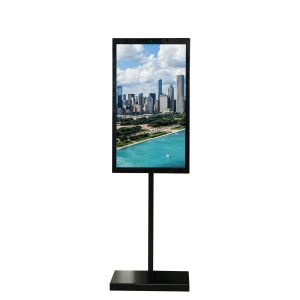
27″–32″ works well for freestanding kiosks in lobbies or high-traffic areas.
-
-
Brightness and readability
-
300–500 nits is typically enough for indoor environments.
-
For bright atriums or semi‑outdoor locations, consider 500–700 nits or more.
-
-
Touch technology
-
Projected capacitive (PCAP) is recommended for modern, smartphone‑like interaction.
-
Ensure multi‑touch support and good accuracy for on‑screen keyboards and numeric PIN entry (if applicable).
-
The screen should be protected with tempered glass and designed to resist scratches, impacts, and repeated use.
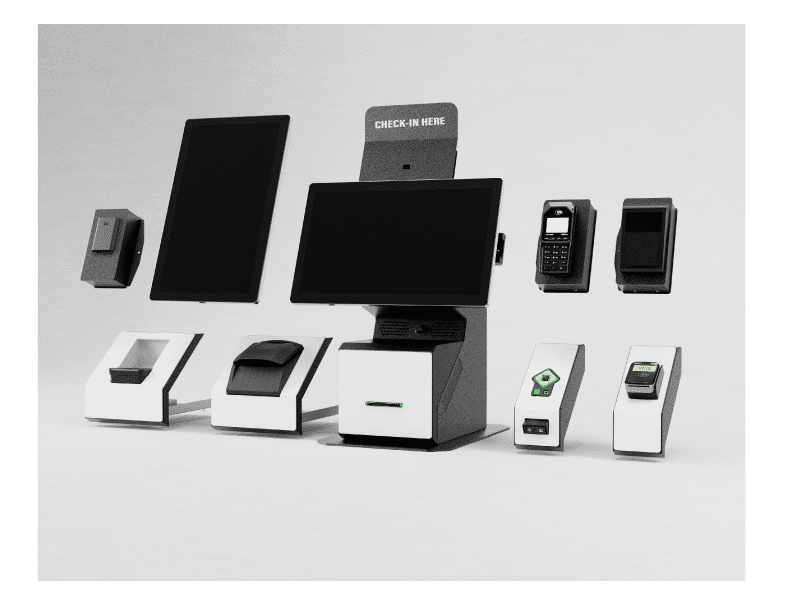
Payment Devices
Payment hardware is the heart of any ticketing & payment kiosk.
Typical configuration:
-
EMV chip card reader for secure chip‑card transactions and PIN entry (when required).
-
NFC/contactless reader for tap‑to‑pay with cards and mobile wallets (Apple Pay, Google Pay, etc.).
-
Magnetic stripe reader (optional) for legacy cards, where still required.
-
QR code scanner for mobile payment apps and voucher codes.
Key selection criteria:
-
EMV certification and PCI‑compliant firmware.
-
Support for your target markets’ payment schemes (local debit networks, wallets, etc.).
-
Modular design that allows future upgrades as payment standards evolve.
Payment modules should be integrated into a secure, tamper‑resistant area of the kiosk enclosure.
Printers and Ticket Dispensers
Ticketing kiosks often need to issue physical proof of purchase:
-
Thermal receipt printer: payment receipts, booking confirmations, queue tickets.
-
Ticket printer/dispenser: thicker ticket stock (cinema, events, transport tickets).
-
Label printer (in some use cases): parking passes, visitor badges, luggage tags.
Look for:
-
Front‑loading or front‑service design so staff can replace paper quickly.
-
Auto‑cutter for clean, professional ticket edges.
-
Sensors to detect low paper and jams, with alerts via your monitoring system.
Scanners and Cameras
Ticketing and payment flows increasingly rely on scanning external codes or documents:
-
1D/2D barcode scanner for printed tickets, vouchers, loyalty cards, or mobile QR codes.
-
Document scanner or ID reader where ID verification is required (government, financial services).
-
Camera (optional) for ID capture, facial snapshots, or video intercom with remote operators.
Peripherals must be positioned and angled for comfortable use by people of different heights, including wheelchair users.
Enclosure, Mounting and Durability
Because ticketing & payment kiosks are deployed in public spaces and handle cash‑equivalent transactions, the enclosure must be exceptionally robust.
-
Strength and tamper‑resistance
-
Steel construction with lockable doors and separate secure compartments for payment modules.
-
Hidden or tamper‑proof fasteners.
-
-
Suitability for the environment
-
Indoor: slim, aesthetic design to blend with interior decor.
-
Outdoor or semi‑outdoor: weather‑resistant housing, sun‑shading, and a robust base for stability.
-
-
Serviceability
-
Clear internal layout for maintenance.
-
Cable management and modular access to printers, paper, and other consumables.
-
For outdoor ticketing & payment kiosks, add high‑strength locks, anti‑vandal glass, and environmental seals.
Security Requirements for Ticketing & Payment Kiosks
Security spans both hardware and software. For ticketing & payment digital kiosk displays, think in layers.
Payment and Data Security Standards
At a minimum, your payment solution should align with industry standards:
-
PCI DSS compliance: Ensures cardholder data is handled, transmitted, and stored securely.
-
EMV certification: Required for chip card transactions and liability shift coverage.
-
P2PE or end‑to‑end encryption: Encrypts card data from the card reader to the payment processor to limit exposure.
On the software side:
-
Never store raw card data on the kiosk itself.
-
Use tokenisation wherever possible so that sensitive data is replaced with non‑sensitive tokens.
Device and Physical Security
Physical tampering is a real risk for unattended kiosks:
-
Tamper‑evident design
-
Payment modules detect opening or manipulation.
-
Tamper switches trigger alarms or disable the device when panels are opened unexpectedly.
-
-
Secure cable routing
-
No exposed cables that can be easily unplugged or rerouted.
-
Internal, shielded paths for payment and network connections.
-
-
Locking mechanisms
-
High‑security locks with unique or restricted keys.
-
Separate access levels for cash/paper compartments and general maintenance.
-
For high‑risk locations, consider CCTV coverage of kiosk areas and anchoring kiosks to the floor or wall to prevent theft or tipping.
Software and Network Security
A secure kiosk OS and application stack is as important as secure hardware.
Best practices:
-
Locked‑down operating system
-
Kiosk mode to prevent users from exiting the application or accessing system settings.
-
Whitelisting of allowed applications and services.
-
-
Secure network communication
-
Encrypted connections (TLS/HTTPS) between kiosk, payment gateway, and back‑end systems.
-
VPN or private network segments for kiosks, separate from guest Wi‑Fi.
-
-
Patch and update management
-
Centralised remote update mechanisms for OS, application, and payment firmware.
-
Regular security patches and monitoring for vulnerabilities.
-
Combine these with robust logging so you can audit transactions and system events when needed.
User Privacy and Data Protection
Ticketing & payment kiosks often collect personal data—names, emails, phone numbers, IDs—alongside payment information.
To protect privacy:
-
Clearly present privacy and consent notices for data collection and marketing communications.
-
Limit the amount of personal data collected to what is strictly necessary.
-
Automatically clear session data between users (e.g., after a timeout or transaction completion).
This protects users and helps you comply with regional data protection regulations.
UX Considerations for Payment and Ticketing Kiosks
Hardware and security can be perfect, but if users get stuck mid‑payment, your ticketing & payment digital kiosk display will fail in practice.
Short, Clear Transaction Flows
Payment flows should be:
-
Short: Aim for 3–5 screens from start to confirmation.
-
Guided: Use clear progress indicators (e.g., “Step 2 of 4”).
-
Forgiving: Provide obvious options to go back or cancel without confusion.
Avoid long text blocks during payment steps. Keep copy concise and action‑oriented.
Error Handling and Recovery
Payment-related errors are sensitive. Your kiosk should:
-
Show simple, clear messages (“Card not read. Please try again or use another payment method.”).
-
Offer alternative options where possible (card, mobile wallet, QR, etc.).
-
Ensure cancelled or failed transactions cannot accidentally result in double charges.
When uncertain, fail safe: do not issue tickets or services unless payment status is confirmed from the back end.
Accessibility and Inclusiveness
Accessibility is essential for payment and ticketing:
-
Physical access
-
Screen height and angle should suit both standing users and wheelchair users.
-
Payment devices must be within comfortable reach for all.
-
-
Visual and interaction design
-
Large buttons and high‑contrast text for key actions.
-
Support for multiple languages relevant to your audience.
-
This improves usability for everyone and helps meet accessibility requirements in many markets.
Indoor vs Outdoor Ticketing & Payment Kiosks
Where your kiosks live changes how you design and specify them.
Indoor Ticketing & Payment Kiosks
Typically installed in:
-
Lobbies and atriums.
-
Retail environments.
-
Station halls and indoor concourses.
Characteristics:
-
Use standard‑brightness displays and more design‑driven enclosures.
-
Require strong payment and data security.
-
Face fewer environmental challenges (temperature, rain, dust).
Outdoor and Semi‑Outdoor Ticketing & Payment Kiosks
Installed in:
-
Car parks and pay‑on‑foot areas.
-
Open‑air stations and platforms.
-
Near building entrances exposed to the elements.
Requirements:
-
High‑brightness displays, weather‑resistant enclosures, and temperature management.
-
Additional protection against vandalism, UV exposure, and environmental wear.
-
Planning for extreme temperatures, rain, dust, and direct sunlight.
Specifying outdoor ticketing & payment kiosks correctly up front saves major maintenance headaches later.
Deployment and Operational Best Practices
Successful ticketing & payment kiosk deployments combine good design with solid operational processes.
Start with a Pilot
-
Deploy a small number of kiosks in representative locations.
-
Measure transaction volume, error rates, and user satisfaction.
-
Use findings to refine UI, hardware placement, and messaging.
Train Staff and Communicate Clearly
-
Train staff to assist users, explain benefits, and handle exceptions.
-
Position kiosks as a way to improve service, not replace all human interaction.
Visible staff support during the early phase boosts adoption and user confidence.
Monitor, Optimise, and Scale
-
Track usage, peak times, payment method breakdown, and error patterns.
-
Adjust kiosk locations, screen flows, and available payment methods based on data.
-
Plan preventive maintenance to swap consumables and check critical components before they fail.
With proper planning, ticketing & payment, digital kiosks can reduce queues, lower transaction costs, and free staff to focus on high‑value service instead of routine payments.
FAQ: Ticketing & Payment Digital Kiosk Displays
Q: Do I need EMV support on every ticketing & payment kiosk?
Yes—if you accept chip cards, EMV is essential for security and liability protection. Even if contactless and mobile wallets are popular, EMV ensures you’re covered for card-present transactions.
Q: Can I add new payment methods later (e.g., QR wallets, new cards)?
If you choose modular, certified payment devices and a flexible payment gateway, you can often add new methods via software updates or small hardware upgrades instead of full replacements.
Q: How many ticketing & payment kiosks should I deploy?
Use peak‑time analysis: estimate transactions per hour and target an average wait of under 2–3 minutes. Start with a pilot, then scale up using real usage data.
Q: Are outdoor ticketing kiosks much more expensive than indoor ones?
Yes—high‑brightness screens, weather‑proofing, heating/cooling, and anti‑vandal protection add cost. However, the revenue and convenience of 24/7 outdoor operation often justify the investment.
Q: How do ticketing & payment kiosks fit into my wider kiosk strategy?
Treat them as your transaction layer alongside information‑only, wayfinding, and advertising kiosks. Use consistent hardware platforms and CMS so all kiosks can be monitored and managed from one place.
By combining the right hardware, layered security, thoughtful UX, and disciplined operations, ticketing & payment digital kiosk displays can become one of the most reliable and profitable parts of your customer journey.


 English
  Arabic
  Spanish