The cost of digital kiosk displays is not what you pay on day one. It is the full cost of owning, running, maintaining, and eventually replacing the system over its entire life cycle.
For buyers planning a kiosk deployment, understanding the total cost of ownership helps avoid underestimating software fees, installation labour, support effort, and the hidden cost of downtime.
Why TCO Matters
A kiosk that looks affordable at purchase can become expensive if it requires frequent service visits, complex software licensing, or replacement parts sooner than expected.
That is why TCO is a better decision-making framework than price alone: it shows how the hardware, software, and maintenance model affect the real cost of keeping the kiosk useful and online.
The Cost of digital kiosk displays includes
Hardware Costs
Hardware is usually the most visible part of TCO, but it is only one piece of the total picture. The right hardware should be selected for the actual environment, not over-specified for features the application will never use.
Display size and brightness
Larger screens and high-brightness outdoor panels cost more upfront, but they may be necessary for visibility in public areas, malls, or outdoor locations.
A compact indoor kiosk can usually use less expensive hardware than a sun-readable outdoor unit.
Touch technology
Capacitive, infrared, and other touch technologies have different cost profiles depending on the intended use case. Protective glass, vandal resistance, and anti-glare treatment can also increase cost, but they may reduce future repair and replacement expenses.
Enclosure and form factor
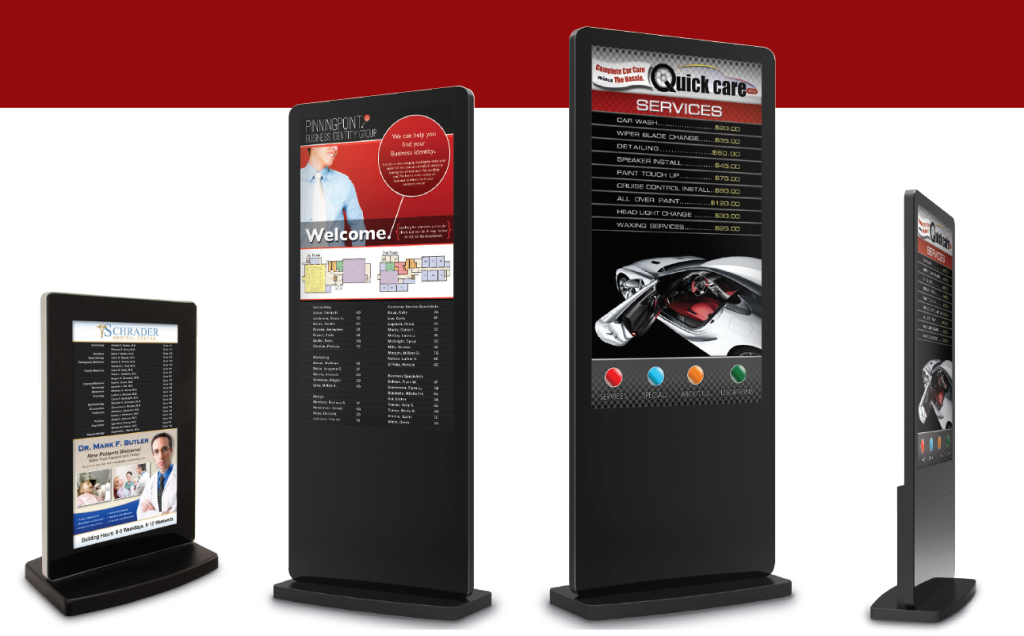
Freestanding, wall-mounted, indoor, and outdoor designs all affect the total hardware budget.
A stronger enclosure may cost more initially, but it can lower maintenance risk in demanding environments.
Built-in computer vs external player
All-in-one kiosks and separate media-player setups have different ownership implications. An integrated kiosk can simplify deployment, while a modular setup may make repairs or upgrades easier over time.
Software Costs
Software cost is often underestimated because it may not appear as a single large line item. In practice, operating system choice, CMS licensing, device management tools, and support features all contribute to TCO.
Operating system choice
Android-based kiosks often offer a simpler, lower-friction path for content-driven applications, while Windows may be better for compatibility with enterprise software and more complex workflows.
The better choice depends on the application, but the wrong choice can increase support overhead and integration cost.
CMS licensing
If your kiosk fleet requires scheduling, remote publishing, reporting, and role-based access, the CMS becomes a recurring cost. Multi-location deployments in particular should factor in user accounts, device grouping, content workflows, and update management.
Remote management tools
Remote monitoring and control reduce the need for on-site service visits. That lowers support costs, speeds up troubleshooting, and helps keep kiosks online with less labour.
For distributed networks, these tools often pay for themselves by reducing truck rolls and downtime.
Installation Costs
Installation is often treated as a one-time expense, but it can vary widely depending on the site. A simple indoor rollout may require minimal labour, while an outdoor or multi-site deployment can include mounting work, cable routing, access planning, and site coordination.
What to include
-
Shipping and handling.
-
On-site labour.
-
Mounting hardware.
-
Power and network setup.
-
Site surveys and approvals.
-
Safety and accessibility adjustments.
When installation is planned early, the project is less likely to suffer from delays, change orders, or surprise labour costs.
Maintenance Costs
Maintenance is one of the most important parts of TCO because it affects uptime, user experience, and total lifetime expense.
A kiosk that is hard to maintain will cost more over time, even if the initial hardware price was attractive.
Routine maintenance
Basic maintenance includes cleaning, inspections, calibration, and software checks. These tasks may seem small, but they help prevent larger failures later.
Remote support
Remote diagnostics, device status monitoring, and configuration control can dramatically reduce service time. In many cases, a support team can resolve issues without visiting the site.
Repair and replacement
Over time, touch modules, power supplies, storage devices, and other components may need repair or replacement. The easier the system is to service, the lower the long-term maintenance burden.
Content and software upkeep
A kiosk that depends on fresh content must also be maintained from a software and workflow standpoint. CMS updates, security patches, and content revisions all contribute to operating costs.
Hidden Costs Buyers Miss
The biggest TCO mistakes usually come from costs that are easy to overlook during procurement.
Common hidden costs
-
Downtime and lost user traffic.
-
IT labour for updates and troubleshooting.
-
Content production and revisions.
-
Energy usage.
-
Training for staff or regional managers.
-
Replacement cycles for aging devices.
-
Multi-location support complexity.
These costs do not always show up on a quote, but they strongly affect the real cost of ownership.
TCO by Use Case
TCO does not look the same in every deployment. The best budget model depends on how the kiosk will be used and where it will be installed.
Retail and malls
Retail projects often need strong visual impact, frequent content updates, and reliable uptime. That means CMS and remote management can be just as important as display quality.
Healthcare and education
In these environments, stability, support, and ease of use are usually more important than flashy hardware. TCO should account for reliability and serviceability.
Outdoor and public deployments
Outdoor kiosks usually cost more because they need better weather resistance, higher brightness, and stronger protection.
Those costs are justified when visibility, durability, and public access are part of the business case.
Corporate and hospitality
These projects often balance appearance, manageability, and service expectations. The best TCO strategy is to choose hardware and software that look polished without adding unnecessary complexity.
Ways to Reduce TCO
Reducing TCO does not mean buying the cheapest option. It means choosing a system that delivers the right outcome with the least unnecessary friction over time.
Practical ways to lower total cost
-
Match the hardware to the actual use case.
-
Avoid over-specifying brightness or screen size.
-
Select the OS that fits the software environment.
-
Standardise hardware across locations.
-
Use remote monitoring to cut service visits.
-
Plan maintenance before rollout, not after failure.
-
Build content workflows that reduce manual rework.
These steps reduce waste while protecting performance and uptime.
LCDSLD Perspective on TCO
At LCDSLD, the goal is not simply to sell a kiosk. It is to help buyers choose a digital kiosk display that remains practical, supportable, and cost-effective over time.
That means thinking beyond the purchase price and considering the full life cycle: hardware choice, software environment, deployment complexity, and long-term service needs.
For many buyers, the most valuable kiosk is not the one with the lowest invoice. It is the one that stays online, stays current, and keeps delivering results with predictable operating costs.
Buyer Checklist
Before finalising a kiosk project, review these cost areas:
-
Hardware purchase price.
-
Display size and brightness requirements.
-
Touch technology and enclosure choice.
-
OS and software licensing.
-
CMS and remote management tools.
-
Installation labour and site work.
-
Maintenance and repair planning.
-
Energy consumption.
-
Content operations.
-
Replacement strategy.
If you can account for each of these items early, you will have a much clearer view of the real project budget.
Total cost of ownership is the most reliable way to compare kiosk options because it reflects how the system will perform after the purchase, not just at the point of sale.
A well-planned kiosk may cost more upfront, but it often delivers better uptime, lower support effort, and better long-term value.