



Compare open frame vs enclosed touch screen monitors in one practical guide. Understand pros, cons, durability, and integration tips so you can choose the right display for your next project.
-
Open-frame monitors are best suited for OEM integration into kiosks, ATMs, and control panels in controlled environments, offering lower costs and greater mounting flexibility.
-
Enclosed touch monitors: ideal for public or harsh environments that need better protection, a finished look, and out-of-the-box deployment.
What are Open Frame Touch Screen Monitors?
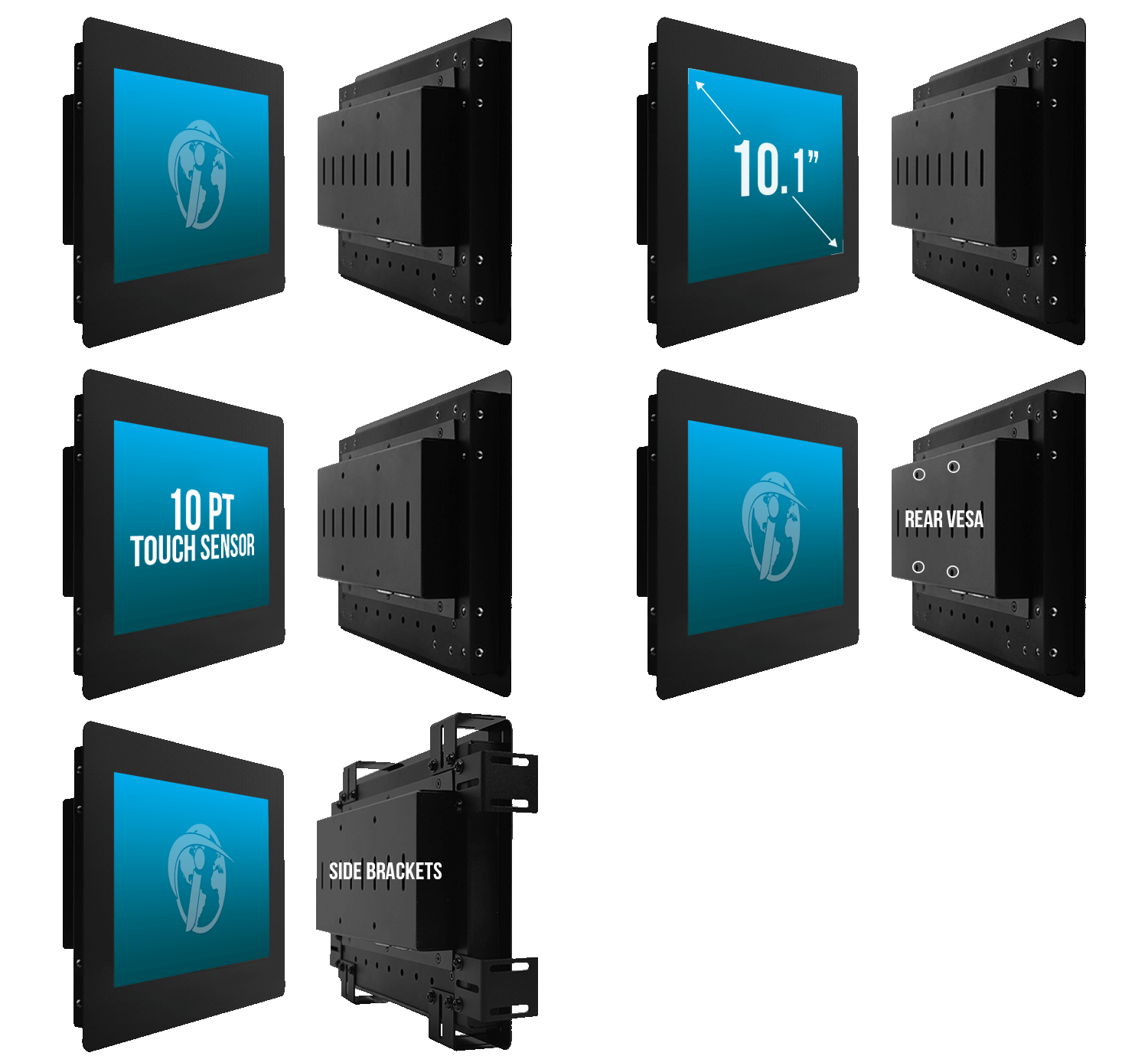
Open-frame or open-faced touch monitors have a front panel with no enclosure or casing around the display. The sides are exposed, with mounting holes that allow integration into kiosks, machines or custom enclosures.
Pros of Open Frame Monitors for OEM Integration
- Easy Integration: The exposed sides and mounting holes enable seamless integration into kiosks, control panels, machines, etc.
- Flexible Mounting: Can be mounted in any orientation – horizontal, vertical or angled using the mounting holes.
- Slimmer Profile: No bulky enclosure means a slimmer overall profile suitable for tight spaces.
- Customizability: Easier to customise bezels, add branding elements, etc., during integration.
- Cost-Effective: Generally more affordable than enclosed monitors.
Cons of Open Frame Monitors in Harsh Environments
- Lack of Protection: No enclosure means components are exposed and vulnerable to dust, moisture and impacts.
- Limited Aesthetics: Exposed sides and mounting holes can look unsightly if not integrated properly.
- Installation Complexity: Requires custom enclosure/housing design and installation effort.
What are Enclosed Touch Screen Monitors?
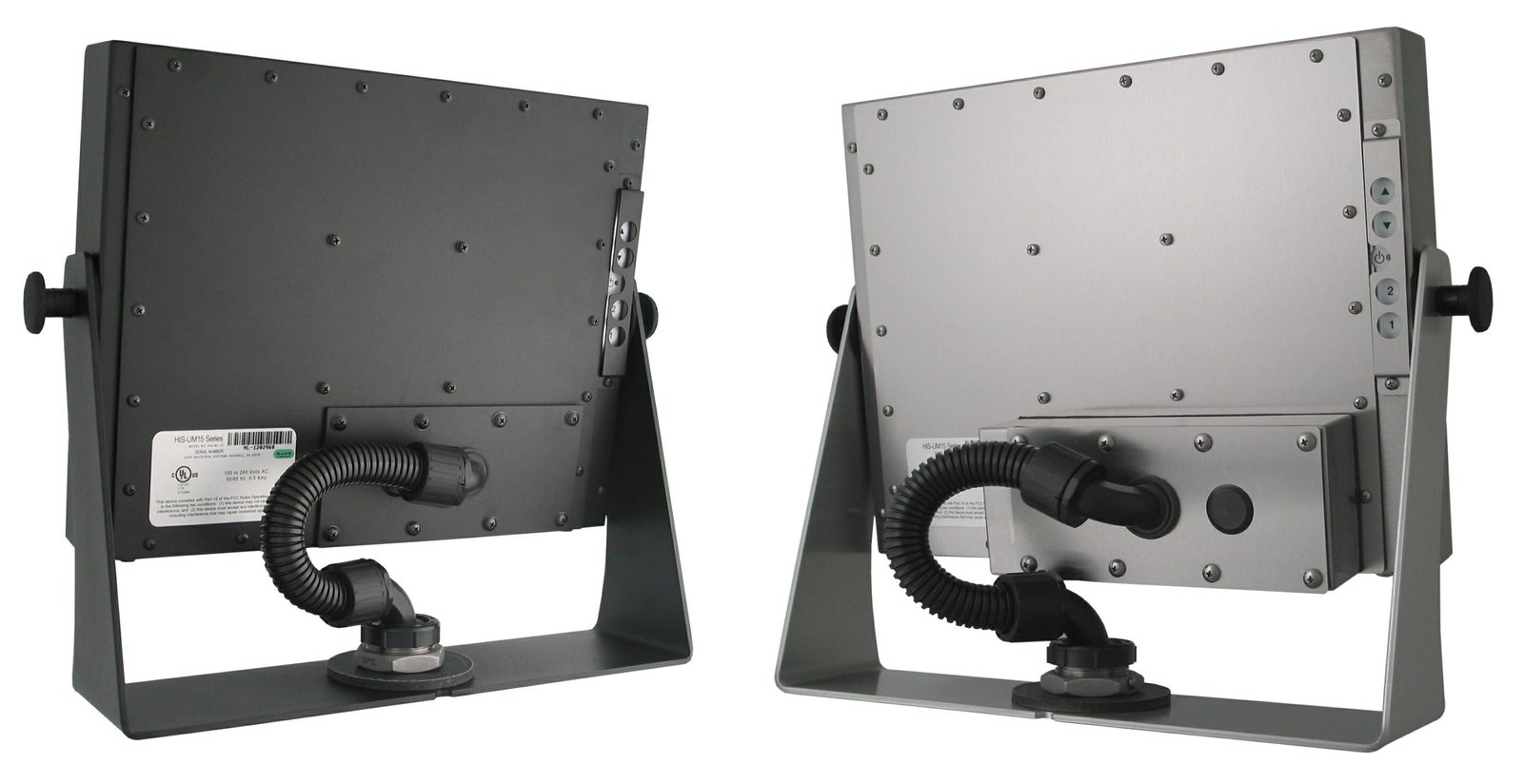
Enclosed or cased touch monitors have a complete enclosure or housing around the display panel. The casing protects the internal components while providing a finished aesthetic look.
Pros of Enclosed Monitors
- Durability: The enclosure protects internal components from dust, moisture, impacts etc.
- Aesthetic Appeal: Integrated housing provides a sleek, finished look suitable for public spaces.
- Ease of Use: Can be used out-of-the-box with minimal installation required.
- Added Features: Some models include extras like adjustable stands, cable management etc.
Cons of Enclosed Monitors
- Limited Integration: Not designed for integration into third-party kiosks/enclosures.
- Larger Footprint: The enclosure increases overall size and footprint.
- Higher Cost: Enclosed monitors are generally more expensive than open-frame models.
- Inflexible Mounting: Limited mounting options due to the fixed housing design.
Selection Criteria: Open Frame vs Enclosed
When selecting between open-frame and enclosed touch monitors, consider the following factors:
Environment
- Open frame monitors are better suited for controlled environments like factories, labs etc.
- Enclosed models offer better protection for harsh or public environments.
Use Case
- Open frame monitors enable custom integration into kiosks, ATMs, control panels etc.
- Enclosed monitors work best for desktop/tabletop use or basic interactive displays.
Installation Needs
- Open frame requires custom housing/enclosure and installation effort.
- Enclosed monitors are plug-and-play with minimal installation required.
Durability and Protection
- Enclosed designs are more durable and resistant to dust, moisture, impacts, etc.
- Open frame monitors need additional protection measures when integrating.
Budget
- Open frame monitors are generally more cost-effective.
- Enclosed models command a higher price tag.
Aesthetics
- Enclosed monitors provide a sleek, finished look for customer-facing applications.
- Open frame monitors may look unsightly if not integrated properly.
Mounting Flexibility
- Open frame allows flexible mounting – horizontal, vertical, angled, etc.
- Enclosed models have limited mounting options based on their fixed housing.
By evaluating your specific needs across these criteria, you can determine whether an open frame monitor or enclosed touch screen display is the better choice.
Top Open Frame Touch Monitor Recommendations
- Faytech 15″ Open Frame PCAP Monitor: Slim design, 10-point PCAP touch, IP65-rated front for dust/water protection.
- iiyama ProLite TF2738MSC-B2: 27″ 10-point PCAP open frame monitor with edge-to-edge glass.
- Elo 3243L: 32″ full HD open frame monitor with projected capacitive touch.
Top Enclosed Touch Monitor Recommendations
- Elo 2494L: 24″ desktop touch monitor with anti-glare glass and multiple inputs.
- Philips 242B9T: 24″ full HD enclosed monitor with SmoothTouch technology.
- iiyama ProLite TF2234MC-B6X: 21.5″ full HD touch monitor with IPS panel and flexible stand.
No matter which type you choose, LCDSLD.com offers a wide range of open frame and enclosed touch screen monitors, along with Android panel PCs and touchscreen kiosks to meet your needs. As a leading custom display solution provider, we can also create tailored products for specialised applications.
By understanding the key differences, pros, cons and selection criteria for open frame vs enclosed touch monitors, you can make an informed decision aligned with your specific requirements for integration, durability, budget and more. Feel free to contact us if you need any assistance in selecting the ideal touch screen solution.


 English
  Arabic
  Spanish