


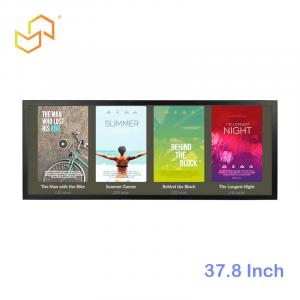
Choosing between an indoor digital screen kiosk and an outdoor digital kiosk display is one of the first—and most impactful—decisions in any kiosk project. The wrong choice can lead to poor visibility, frequent breakdowns, high maintenance costs, or a complete project failure. In Southeast Asia and the Middle East, where tropical humidity, intense sunlight, sandstorms, and extreme temperatures are daily realities, this decision becomes even more critical.
This guide breaks down the key hardware differences, typical use cases, cost implications, and practical steps to help you select the right kiosk type for your environment. Whether you’re planning interactive directories for a shopping mall in Kuala Lumpur, self-service kiosks for a hospital in Dubai, or public information displays along a smart city boulevard in Jakarta, you’ll find clear guidance here.
For a comprehensive overview of digital screen kiosks, see our Digital Screen Kiosk Complete Guide. And for display selection specifics, check the Digital Kiosk Display Buyer’s Guide.
Why the Indoor vs Outdoor Decision Matters
The indoor vs outdoor decision affects every aspect of your kiosk project—from initial cost and installation complexity to long-term reliability and total cost of ownership (TCO). An outdoor kiosk requires significantly more engineering to survive weather, temperature extremes, and vandalism, which drives up both upfront and ongoing expenses.
In Southeast Asia, tropical climates bring high humidity, heavy rain, and temperatures often exceeding 35°C (95°F), plus corrosive salty air near coastal cities like Singapore, Manila, and Jakarta. In the Middle East, scorching daytime heat (often 45–50°C/113–122°F), sand/dust storms, and dramatic day-night temperature swings challenge even the toughest hardware.
Making the right choice upfront prevents:
-
Poor visibility: Indoor kiosks wash out under sunlight; outdoor kiosks overkill (and overpriced) indoors.
-
Premature failure: Consumer-grade indoor displays fail quickly outdoors.
-
High maintenance: Frequent repairs in harsh conditions erode ROI.
-
Safety risks: Unstable or vandal-prone outdoor kiosks create liability.
The table below summarises the high-level differences:
| Aspect | Indoor Digital Screen Kiosk | Outdoor Digital Kiosk Display |
|---|---|---|
| Environment | Controlled temperature/humidity | Extreme heat, rain, dust, UV |
| Brightness | 300–700 nits | 1500–3000+ nits |
| Protection | Basic vandal glass | IP65+ weatherproof enclosure |
| Cost | Lower CAPEX/TCO | 2–4x higher |
| Installation | Simple, aesthetic focus | Complex, structural/electrical |
Hardware Differences
The most significant differences lie in hardware engineering. Outdoor kiosks must protect sensitive electronics while maintaining performance under extreme conditions.
Brightness and Sunlight Readability
Brightness (measured in nits) determines whether users can actually see your content.
-
Indoor kiosks: 300–700 nits works for most mall, office, and hospital lighting. Near large windows or glass atriums (common in Southeast Asian malls), aim for 500–700+ nits.
-
Outdoor kiosks: 1500–3000+ nits minimum for readability in direct sunlight. Even “shaded” outdoor areas like covered bus stops need 1000+ nits to combat reflections.
Additional factors:
-
Anti-glare/anti-reflective (AG/AR) coatings reduce mirror-like reflections
-
High contrast ratios help text pop against bright backgrounds
-
Polarised sunglasses compatibility (critical in sunny Middle Eastern climates)
Without sufficient brightness, even the best content design fails. Our Digital Kiosk Display Buyer’s Guide covers brightness selection in detail.
Weatherproofing and IP Ratings
Outdoor kiosks must seal out water, dust, and humidity according to IP (Ingress Protection) ratings:
| IP Rating | Protection Level | Best For |
|---|---|---|
| IP54 | Dust/splash resistant | Covered semi-outdoor |
| IP65 | Dust-tight, water jet-resistant | Outdoor bus stops, plazas |
| IP67 | Temporary immersion | Heavy rain/flood-prone areas |
Middle East considerations: Sealed fans/filters prevent sand ingress; anti-condensation design handles morning dew.
Indoor kiosks need only basic splash protection (IP20–IP54) and tempered glass for vandalism resistance.
See weatherproofing in action across our Outdoor Kiosk collection.
Thermal Management and Ventilation
Heat kills electronics faster than any other factor.
Outdoor challenges:
-
Ambient temperatures exceed 50°C (122°F) in Middle Eastern summers
-
Direct sunlight heats kiosk surfaces to 70°C+ (158°F)
-
High-brightness displays generate significant internal heat
Outdoor solutions:
-
Passive cooling: Heat pipes, aluminium heat sinks, phase-change materials
-
Active cooling: IP-rated fans, industrial AC units, heat exchangers
-
Smart thermostats: Automatically adjust fan speed and content brightness
Indoor kiosks use simple convection or quiet fans since ambient temperatures rarely exceed 30°C (86°F).
Proper thermal design ensures 7×24 reliability. Learn more in our Outdoor LCD Kiosk Supplier guide.
Vandal-Proof Design and Safety
Public outdoor kiosks face deliberate damage, accidents, and natural wear.
Outdoor protections:
-
Thicker laminated/toughened glass (6–12mm vs 3–6mm indoor)
-
Reinforced steel enclosures with anti-pry locks
-
Anti-tilt mounting with deep concrete foundations
-
Internal surge protection and grounding for lightning-prone areas
Indoor focuses on aesthetics with slimmer profiles and branding-friendly finishes.
For maximum durability, explore our wholesale display kiosk solutions.
Typical Indoor Use Cases
Indoor digital screen kiosks thrive in controlled environments where aesthetics, user comfort, and integration matter most.
Shopping Malls and Retail
-
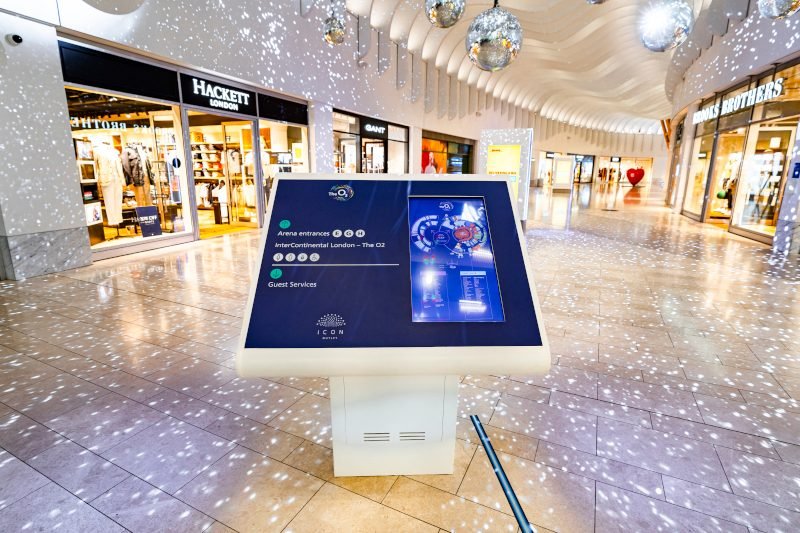
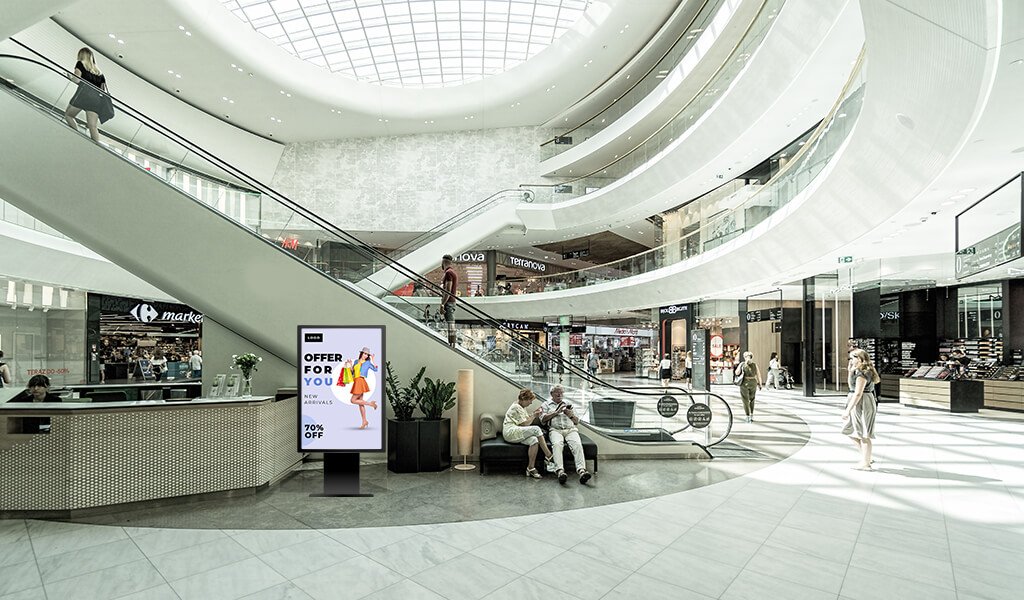
Interactive directories at escalators and entrances
-
Promotional kiosks near high-traffic zones
-
Self-service loyalty and gift card stations
-
Typical specs: 32–49″, 500 nits, PCAP touch, Android OS
Singapore and Kuala Lumpur malls favour slim, portrait-oriented designs blending with premium interiors.
Healthcare Facilities
-
Patient check-in and queue management
-
Wayfinding to departments and clinics
-
Health information and appointment booking
-
Typical specs: 21.5–32″, moderate brightness, multilingual support
Hospitals in Bangkok and Dubai prioritise hygiene (anti-microbial coatings) and accessibility.
Corporate Offices and Hotels
-
Visitor registration and badge printing
-
Meeting room booking systems
-
Digital concierge services
-
Typical specs: 27–43″, sleek wall-mount or freestanding
Browse complete indoor solutions in our Kiosk product category.
Typical Outdoor Use Cases
Outdoor digital kiosk displays transform public spaces but demand rugged engineering.
Smart Cities and Public Information
-
Interactive city guides and tourist information
-
Real-time transit schedules and route planning
-
Emergency alerts and public service announcements
-
Typical specs: 49–55″, 2000+ nits, IP65, vandal-proof glass
Common in Jakarta smart city projects and Dubai public plazas.
Transportation Hubs
-
Bus/metro stops with live arrival times
-
Parking payment and validation kiosks
-
EV charging station directories
-
Typical specs: Weatherproof, high-brightness, 24/7 operation
Changi Airport and KLIA-style deployments need multilingual support.
Outdoor Retail and Fuel Stations
-
Drive-thru menu boards and order confirmation
-
Fuel station promotions and wayfinding
-
Outdoor mall directories
-
Typical specs: Sunlight-readable, IP65+ corrosion resistance
See rugged outdoor designs in our Outdoor Kiosk category.
Cost and Maintenance Considerations
Outdoor kiosks cost 2–4x more than indoor equivalents due to specialised components.
Ongoing costs (per year):
-
Power: Outdoor high-brightness = 2–3x indoor consumption
-
Maintenance: Outdoor cleaning/inspection 4–6x more frequent
-
Repairs: Outdoor failure rates 2–3x higher in first 3 years
TCO optimisation tips:
-
Right-size brightness (don’t over-spec)
-
Choose passive cooling when possible
-
Plan accessible maintenance (front-serviceable designs)
-
Use remote monitoring to catch issues early
Our Android Touch Screen Kiosk solutions minimise both CAPEX and OPEX through efficient embedded systems.
How to Decide Which One You Need
Use this 5-step decision framework:
-
Site Assessment (30 mins)
-
Direct sunlight hours?
-
Rain/dust exposure?
-
Temperature extremes?
-
Vandalism risk?
-
-
Use Case PriorityHigh interaction + controlled environment → Indoor
Public info + harsh conditions → Outdoor
Mixed needs → Semi-outdoor/high-bright indoor -
Budget Check
-
Indoor: $3K–$10K per unit
-
Outdoor: $10K–$30K+ per unit
-
Factor 20–30% annual maintenance
-
-
Future-Proofing
-
Can an indoor scale be used semi-outdoor?
-
Modular design for upgrades?
-
-
Vendor Validation
-
Local service capability?
-
Proven deployments in your climate?
-
Quick checklist:
-
Fully exposed to elements? → Outdoor
-
High foot traffic + premium interior? → Indoor
-
Budget < $8K/unit? → Indoor or optimise
-
24/7 mission-critical? → Over-engineer either way
Indoor and Outdoor Digital Kiosk Solutions from LCDSLD
LCDSLD offers complete solutions for both environments, with full customisation available.
Featured Indoor Solutions:
-
27″ Commercial Android Kiosk – Perfect for clinics and offices
-
Custom Mall Kiosks – Tailored for premium retail
Featured Outdoor Solutions:
-
High-brightness outdoor kiosks – IP65, 2000+ nits
-
Outdoor LCD Kiosk systems – Full weatherproofing
All solutions support Android and CMS integration for simplified management across Southeast Asia and the Middle East deployments.
Next Step: Plan Your Kiosk Deployment
Don’t leave your indoor vs outdoor decision to guesswork. Share your:
-
Site photos and location details
-
Primary use cases (wayfinding, self-order, info display)
-
Budget range and timeline
-
Number of units planned
Our team will recommend the optimal kiosk type, provide complete specifications, and even offer a custom proposal that includes local support options.
Get started today: Contact us via our Electronic Kiosk Supplier page or the form on our homepage.
Ready to explore more? Continue with our series:

 English
  Arabic
  Spanish