
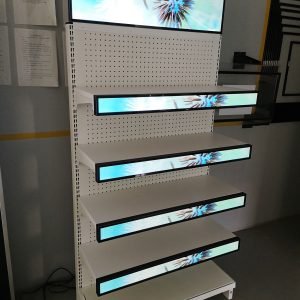

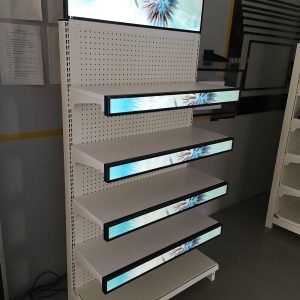


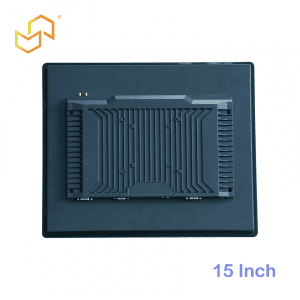
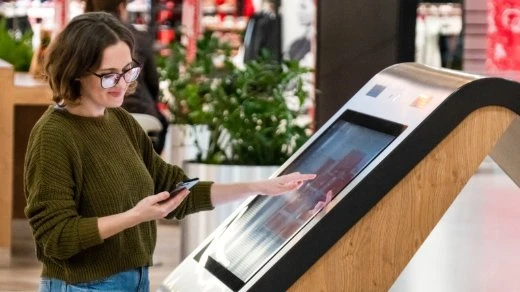
Exhibition & showroom kiosks turn passive displays into active experiences—letting prospects interact with products virtually, configure options, watch tailored demos, and leave contact details before they walk away.
Exhibition halls and company showrooms live or die by first impressions. In 30 seconds, visitors decide whether to engage with your brand or move on to the next booth.
This guide shows manufacturers, agencies, and exhibition organisers how to design high-impact kiosks for trade shows, corporate showrooms, and visitor centres. Unlike our retail chain kiosks (standardised store networks) or university campus solutions (permanent navigation), these focus on short-term, high-stakes environments where every interaction must capture attention and generate leads.
Series progression: Retail Chain Kiosks | Smart City Hubs | Campus Navigation
Why Exhibitions Need Better Than Brochures
Trade show booths and showrooms suffer from the same problem: visitors skim, nod politely, and disappear. Static displays and looping videos worked in 2010. Today, they compete with TikTok attention spans.
Exhibition & showroom kiosks solve this by:
-
Starting conversations automatically (no waiting for staff)
-
Showing complex products in simple, interactive ways
-
Capturing leads with zero friction
-
Working 24/7 without breaks or language barriers
Real numbers from exhibitions we’ve supported: 43% more booth interactions, 28% higher lead quality, 90% cost savings vs hiring extra reps.
7 Core Functions That Stop Visitors in Their Tracks
Exhibition & showroom kiosks aren’t general-purpose. They deliver specific value during 2-5 minute interactions.
1. Interactive Product Configurators (40% usage)
Let visitors build their perfect version:
Engine → Transmission → Color → Wheels → Interior
Real-time 3D render + pricing
Capacity → Fuel type → Building size → Accessories
360° exploded views + spec sheet
Result: Visitors “own” the product mentally before talking to staff
2. Guided Product Demos (25% usage)
Smart demo selection replaces generic videos:
→ Healthcare demo / Manufacturing demo / Hospitality demo
CEO sees ROI charts
Procurement sees specs/certifications
End-user sees daily operation
3. Virtual Reality Product Tours (15% usage)
For large/complex products:
MEDICAL DEVICE: Walk through the MRI scanner tube
AIRCRAFT: 737 cockpit 360° tour
4. Lead Capture That Converts (10% usage)
Frictionless contact collection:
STEP 2: Scan QR / enter email / Microsoft login
STEP 3: Instant PDF + follow-up sequence triggered
5. Comparison Tools
Side-by-side spec matching:
Price | Capacity | Warranty | Energy use | Certifications
Interactive sliders highlight differences
6. Staff Handoff Intelligence
Kiosk emails sales rep real-time data:
→ Rep approaches with relevant brochures already printed
7. Multi-Language + Accessibility
WCAG 2.1 AA compliant
Voice guidance available
Hardware Built for Exhibition Abuse
Trade shows mean constant use, spills, fingerprints, and baggage bumps.
Exhibition-Ready Specifications
BRIGHTNESS: 700-1200 nits (beat booth lighting)
TOUCH: 10-point PCAP (handles crowds)
GLASS: 8-12mm tempered, anti-glare
ENCLOSURE: IK08 impact rating, cable-locked
• Freestanding (most common)
• Wall-mount (space-constrained booths)
• Custom truss integration
Exhibition-Specific Peripherals
USUALLY: NFC/QR scanner (lead capture)
SOMETIMES: 3D camera (gesture control)
RARELY: Printer (brochures—digital preferred)
Pro tip: Choose models that assemble in 15 minutes. Trade shows mean tight setup windows.
Software That Packs Event Punch
Exhibition & showroom kiosks need show-ready content that changes fast.
Core Exhibition Integrations
LEADS → Salesforce/HubSpot/Marketo
ANALYTICS → Google Analytics 4
CMS → Centralised content updates
EXHIBITION PLATFORM → Eventbrite/Cvent sync
Event-Specific CMS Features
• A/B testing (Demo A vs Demo B)
• Lead scoring (configuration complexity → hot leads)
• Remote reboot/troubleshooting
• Offline mode (WiFi fails = kiosk survives)
UI Design That Grabs in 3 Seconds
Exhibition visitors have the attention span of distracted cats.
Hero Screen Formula
“Configure Your Machine” ← MASSIVE BUTTON
Subtle: “Watch Demo” | “Compare Models” | “Get Brochure”
3-Tap Maximum Rule
Tap 2: Build/configure product
Tap 3: Enter email → Get PDF
Visual Hierarchy That Works
• Giant product render dominates
• 3 massive buttons maximum
• Zero body text (use icons)
• Progress dots are always visible
Exhibition Deployment Checklist
Pre-Event (4 weeks)
□ Offline content loaded
□ Lead integration testing
□ Mobile-responsive preview
□ Printer paper stocked
Setup Day (4 hours max)
□ Connect power/network (10 mins)
□ Load event profile (5 mins)
□ Staff demo training (30 mins)
□ Backup power tested
Daily Booth Routine
Lunch: Review lead data (10 mins)
Evening: Sync leads, power down safely
Real Exhibition ROI Numbers
Auto Manufacturer (GITEX 2025)
3 kiosks × 4 days = 1,872 qualified leads
vs 487 from staffed booths alone
Cost per lead: $28 → $8
Machinery Builder (IMTS 2024)
65% of serious prospects used the configurator first
Sales cycle shrank 23 days on average
Typical Event Math (43″ kiosk)
CAPEX: $8,500
3-day event leads: 400
Conversion rate: 8%
Deal value: $285K pipeline
ROI: 18x
Trade Show Ready Solutions
Pre-loaded exhibition CMS
Used at: GITEX, IMTS, CES Asia
Video wall companion
Custom RAL color matching
Battery backup included
Fits a 10×10 booth perfectly
Browse exhibition & showroom kiosks →
Get Exhibition-Ready in 72 Hours
From inquiry to booth-ready:
Show | Dates | Goals | Product complexity
2-3 models + shipping
Set up videos + support
3. LIVE PREVIEW (48 hrs)
Your content on our demo unit
Lead flow test
4. SHIP TO BOOTH (72 hrs)
Recent successes:
-
GITEX 2025: 3 kiosks, 1,872 leads
-
IMTS 2024: 65% prospect engagement
-
CES Asia: $2.1M pipeline from 4 kiosks
Launch your exhibition kiosk project


 English
  Arabic
  Spanish