


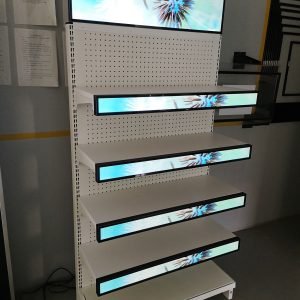
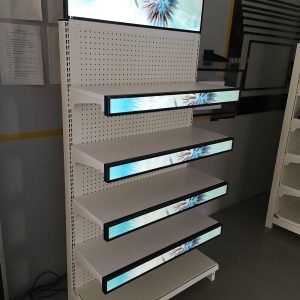


حاسوب لوحي لمحطات الخدمة العامة
Public service terminals are expected to do a lot more than answer questions. They guide visitors, support government workflows, and help institutions deliver services without creating a bottleneck at the front desk. That is why the panel PC behind the screen matters so much: it must be secure, easy to use, and stable enough to keep daily service running without friction.
For the broader product family, the main starting point is the جهاز كمبيوتر لوحي | شاشة LCD page, and the حاسوب لوحي صناعي مثبت على معيار VESA category is the clearest comparison path if you want to review the hardware family first.
The service problem
A public service terminal is usually the first stop for someone who needs help. That person may be a visitor, a citizen, a student, a patient, or a contractor, and they may not know the system well enough to move quickly through the process. The terminal has to reduce confusion, not add it.
This is what makes the design challenge different from a normal office screen. If the terminal is slow, unclear, or difficult to trust, the line gets longer, and the staff behind it gets pulled back into manual work. In public-facing environments, the hardware is part of the service experience, not just a display device.
Government and visitor workflows
Government and visitor-service workflows are built around repeatable actions. A person may need to check in, register, confirm identity, print a ticket, request a form, or find the right department. If each step is handled differently each time, the process becomes slower and more error-prone.
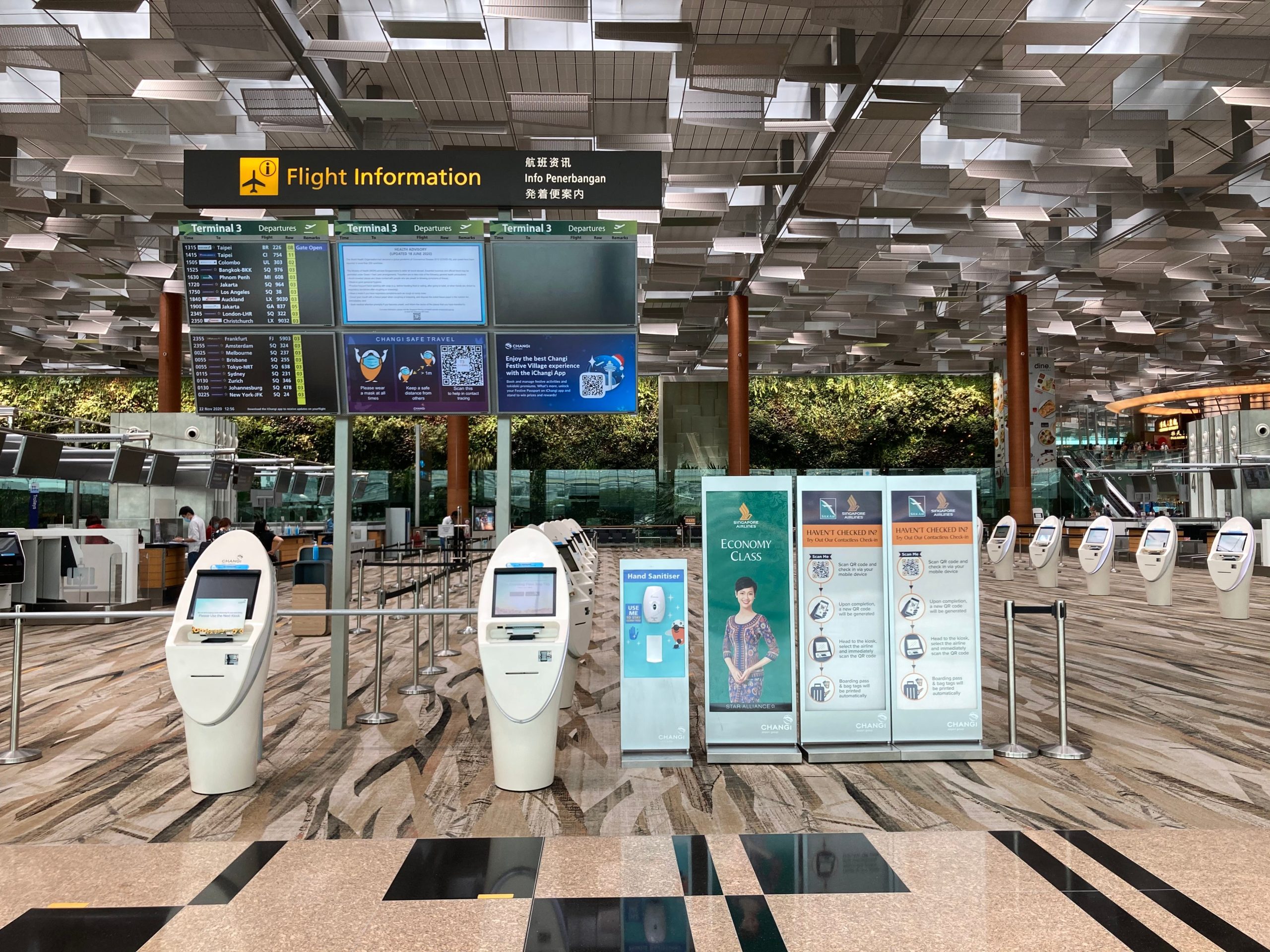
A well-designed panel PC helps standardise these steps. It can act as a controlled access point for information, queue management, visitor registration, document guidance, and self-service interactions. That is useful not only for government service halls, but also for campuses, libraries, hospitals, museums, and other public institutions that need stable front-of-house operations.
The main advantage is consistency. When the terminal always presents the same flow, staff can support more people with fewer interruptions, and visitors can complete their task without needing special help at every turn.
Secure terminal design
Security is the first requirement in a public service terminal because the device is accessible to everyone. The design has to prevent misuse, reduce unauthorised access, and keep the system focused on its intended job. That includes both software-side protection and hardware-side control.
On the hardware side, the terminal should have a rugged, locked-down structure that discourages tampering and protects the internal components. On the software side, it should support restricted navigation, controlled application access, and privacy-friendly operation so that users cannot wander into areas they should not see.
Public-facing terminals also need to support trust. If visitors are entering personal details or completing a service request, they need to feel that the device is controlled and reliable. A secure terminal design helps institutions protect data and keep the service point professional rather than exposed.
What secure design usually means:
-
Restricted access to system functions.
-
Locked-down user flows.
-
Durable installation that resists tampering.
-
Privacy-conscious operation for public use.
Easy-to-use terminal design
Public terminals are used by people of different ages, different technical comfort levels, and different levels of urgency. That means the interface has to be obvious at first glance. Large buttons, clear labels, simple page structure, and fast response times matter more here than advanced features.
The best public terminal is often the one that asks the fewest questions. A user should be able to understand what to do without reading a long explanation or calling for staff help. That is why the display layout, touch sensitivity, and information density all matter in a public setting.
Screen size also affects ease of use. A compact screen may work for a focused task, but larger formats are often better when the terminal needs to show instructions, status, and next steps clearly. The right choice is the one that lets the user finish the task with the fewest barriers.
Good usability usually includes:
-
Clear navigation with a few steps.
-
Large and readable text.
-
Responsive touch control.
-
Simple recovery when the user makes a mistake.
Panel PC for Public Service Terminals’ Hardware and Deployment
A public service terminal has to do its job quietly and consistently. That means the panel PC should be easy to mount, easy to maintain, and reliable enough for all-day operation. Fanless construction is valuable because it reduces noise and helps keep maintenance simpler in public spaces.
Placement is also part of the design. If the screen is mounted too high, too low, or at a bad angle, users will struggle with it even if the software is good. Good deployment means the terminal is visible, accessible, and comfortable for a wide range of users.
Networking is another key factor. Public service terminals often rely on live data access, service updates, or backend communication, so the hardware should support stable wired or wireless connections and secure cable routing. If the network is unreliable, the service point becomes slower and less trustworthy.
A practical deployment checklist:
-
Keep the installation secure and stable.
-
Make the screen easy to see and reach.
-
Ensure network connectivity is dependable.
-
Choose hardware built for long daily use.
How to choose
The selection process should start with the service workflow, not the device catalogue. First, define whether the terminal is for visitor registration, public information, document submission, queue management, or another service task. Then check what level of security, ease of use, and visibility the site needs.
From there, match the hardware to the environment. If the terminal is in a heavy-use public hall, the device should be rugged and easy to maintain. If the terminal is used for fast check-in or guided service, the interface should be simpler, and the screen size should support quick comprehension.
A simple selection order works best:
-
Define the service workflow.
-
Identify security and privacy needs.
-
Decide how easy the interface must be.
-
Match the display size and installation style.
-
Confirm the network and maintenance plan.
That order keeps the project practical. It also prevents the common mistake of choosing hardware before understanding the actual public service task.
التعليمات
Do public service terminals need touch screens?
Most do, because touch makes registration, selection, and guidance much easier for visitors and citizens.
What is the most important security factor?
The most important factor is controlled access, both in the user flow and in the hardware design, which prevents tampering.
Why does usability matter so much?
Because many users only interact with the terminal once, the interface must be clear enough to use immediately.
What screen size is best?
It depends on the task. Smaller screens can work for simple check-in, while larger screens are better when the terminal must show instructions or multiple steps.
Why use an industrial Panel PC instead of a consumer device?
Public terminals need longer daily uptime, more stable operation, and a more secure, durable structure.
Can one terminal support both visitors and government workflows?
Yes, as long as the software flow is configured carefully and the interface is simple enough for mixed audiences.
Public service terminals are expected to do a lot more than answer questions. They guide visitors, support government workflows, and help institutions deliver services without creating a bottleneck at the front desk. That is why the panel PC behind the screen matters so much: it must be secure, easy to use, and stable enough to keep daily service running without friction.
The service problem
A public service terminal is usually the first stop for someone who needs help. That person may be a visitor, a citizen, a student, a patient, or a contractor, and they may not know the system well enough to move quickly through the process. The terminal has to reduce confusion, not add it.
This is what makes the design challenge different from a normal office screen. If the terminal is slow, unclear, or difficult to trust, the line gets longer, and the staff behind it gets pulled back into manual work. In public-facing environments, the hardware is part of the service experience, not just a display device.
Government and visitor workflows
Government and visitor-service workflows are built around repeatable actions. A person may need to check in, register, confirm identity, print a ticket, request a form, or find the right department. If each step is handled differently each time, the process becomes slower and more error-prone.
A well-designed panel PC helps standardise these steps. It can act as a controlled access point for information, queue management, visitor registration, document guidance, and self-service interactions. That is useful not only for government service halls, but also for campuses, libraries, hospitals, museums, and other public institutions that need stable front-of-house operations.
The main advantage is consistency. When the terminal always presents the same flow, staff can support more people with fewer interruptions, and visitors can complete their task without needing special help at every turn.
Secure terminal design
Security is the first requirement in a public service terminal because the device is accessible to everyone. The design has to prevent misuse, reduce unauthorised access, and keep the system focused on its intended job. That includes both software-side protection and hardware-side control.
On the hardware side, the terminal should have a rugged, locked-down structure that discourages tampering and protects the internal components. On the software side, it should support restricted navigation, controlled application access, and privacy-friendly operation so that users cannot wander into areas they should not see.
Public-facing terminals also need to support trust. If visitors are entering personal details or completing a service request, they need to feel that the device is controlled and reliable. A secure terminal design helps institutions protect data and keep the service point professional rather than exposed.
What secure design usually means:
-
Restricted access to system functions.
-
Locked-down user flows.
-
Durable installation that resists tampering.
-
Privacy-conscious operation for public use.
Easy-to-use terminal design
Public terminals are used by people of different ages, different technical comfort levels, and different levels of urgency. That means the interface has to be obvious at first glance. Large buttons, clear labels, simple page structure, and fast response times matter more here than advanced features.
The best public terminal is often the one that asks the fewest questions. A user should be able to understand what to do without reading a long explanation or calling for staff help. That is why the display layout, touch sensitivity, and information density all matter in a public setting.
Screen size also affects ease of use. A compact screen may work for a focused task, but larger formats are often better when the terminal needs to show instructions, status, and next steps clearly. The right choice is the one that lets the user finish the task with the fewest barriers.
Good usability usually includes:
-
Clear navigation with a few steps.
-
Large and readable text.
-
Responsive touch control.
-
Simple recovery when the user makes a mistake.
Hardware and deployment
A public service terminal has to do its job quietly and consistently. That means the panel PC should be easy to mount, easy to maintain, and reliable enough for all-day operation. Fanless construction is valuable because it reduces noise and helps keep maintenance simpler in public spaces.
Placement is also part of the design. If the screen is mounted too high, too low, or at a bad angle, users will struggle with it even if the software is good. Good deployment means the terminal is visible, accessible, and comfortable for a wide range of users.
Networking is another key factor. Public service terminals often rely on live data access, service updates, or backend communication, so the hardware should support stable wired or wireless connections and secure cable routing. If the network is unreliable, the service point becomes slower and less trustworthy.
A practical deployment checklist:
-
Keep the installation secure and stable.
-
Make the screen easy to see and reach.
-
Ensure network connectivity is dependable.
-
Choose hardware built for long daily use.
How to choose
The selection process should start with the service workflow, not the device catalogue. First, define whether the terminal is for visitor registration, public information, document submission, queue management, or another service task. Then check what level of security, ease of use, and visibility the site needs.
From there, match the hardware to the environment. If the terminal is in a heavy-use public hall, the device should be rugged and easy to maintain. If the terminal is used for fast check-in or guided service, the interface should be simpler, and the screen size should support quick comprehension.
A simple selection order works best:
-
Define the service workflow.
-
Identify security and privacy needs.
-
Decide how easy the interface must be.
-
Match the display size and installation style.
-
Confirm the network and maintenance plan.
That order keeps the project practical. It also prevents the common mistake of choosing hardware before understanding the actual public service task.
التعليمات
Do public service terminals need touch screens?
Most do, because touch makes registration, selection, and guidance much easier for visitors and citizens.
What is the most important security factor?
The most important factor is controlled access, both in the user flow and in the hardware design, which prevents tampering.
Why does usability matter so much?
Because many users only interact with the terminal once, the interface must be clear enough to use immediately.
What screen size is best?
It depends on the task. Smaller screens can work for simple check-in, while larger screens are better when the terminal must show instructions or multiple steps.
Why use an industrial Panel PC instead of a consumer device?
Public terminals need longer daily uptime, more stable operation, and a more secure, durable structure.
Can one terminal support both visitors and government workflows?
Yes, as long as the software flow is configured carefully and the interface is simple enough for mixed audiences.
Public service terminals are expected to do a lot more than answer questions. They guide visitors, support government workflows, and help institutions deliver services without creating a bottleneck at the front desk. That is why the panel PC behind the screen matters so much: it must be secure, easy to use, and stable enough to keep daily service running without friction.
A well-designed public service terminal should make the service process faster, safer, and more trustworthy. When the Panel PC supports clear workflows, controlled access, and simple daily use, it becomes a quiet but essential part of the service experience rather than just another screen. To discuss a Panel PC configuration for your public service terminal project, visit the الكمبيوتر اللوحي page and share your requirements.
 Arabic
  English
  Spanish