


حاسوب لوحي لمحطات شحن السيارات الكهربائية
EV charging stations look simple from the outside, but the hardware behind them has to solve three hard problems at once: survive outdoor or semi-outdoor conditions, stay readable in changing light, and keep the network stable enough for payment, monitoring, and service updates. That is why the right الكمبيوتر اللوحي is not just a screen choice; it is part of the charging experience itself.
For the broader product family, the main starting point is the جهاز كمبيوتر لوحي | شاشة LCD page, and the حاسوب لوحي صناعي مثبت على معيار VESA category is the clearest comparison path if you want to evaluate form factors first.
Why EV stations are different
EV charging stations sit between consumer convenience and industrial reliability. Users expect quick interaction, but the equipment has to work through heat, glare, dust, moisture, and long operating hours without becoming a maintenance burden. If the display is hard to read or the interface feels unstable, the station feels less trustworthy, even when the charger itself is fine.
That is why the panel PC should be selected as infrastructure, not like an accessory. A good unit helps the site operator reduce downtime, keep information visible, and support remote management without adding extra failure points.
Outdoor or semi-outdoor
The first decision is where the unit will live. A fully outdoor charger faces direct sun, rain, dust, and bigger temperature swings, while a semi-outdoor charger may sit under a canopy or in a sheltered forecourt but still deals with glare, humidity, and weather exposure. Semi-outdoor should not be treated as “safe enough” by default, because light and moisture can still create the same usability problems that outdoor systems face.
This environment check should happen before any model comparison. If the installation point gets strong sunlight for most of the day, sunlight-readable display performance becomes a primary requirement, not a nice extra. If the site is protected but still public-facing, you still need durability, sealing, and predictable operation over time.
A useful rule is simple:
-
Full outdoor sites need the strongest protection and visibility.
-
Semi-outdoor sites need balanced protection, readability, and cost control.
-
Indoor-adjacent charger areas can still require high brightness and robust networking.
Protection first
Protection is the first gate, because if the hardware cannot survive the environment, the rest of the features do not matter. For EV charging stations, that usually means looking at enclosure sealing, water and dust resistance, impact tolerance, and stable thermal behaviour. A rugged housing with industrial connectors is far better suited to this work than a consumer-style display with exposed ports.
Fanless design is also a practical advantage. It reduces moving parts, helps keep dust management simpler, and makes the device easier to trust in harsher conditions. On the charging-site side, that means fewer service interruptions and less risk of a small hardware issue turning into a visible outage.
What to look for:
-
Water and dust resistance.
-
Strong front-panel protection.
-
Wide operating temperature support.
-
Industrial connectors and stable cable management.
In a charging station, protection is not a premium feature. It is the price of entry.
Visibility matters
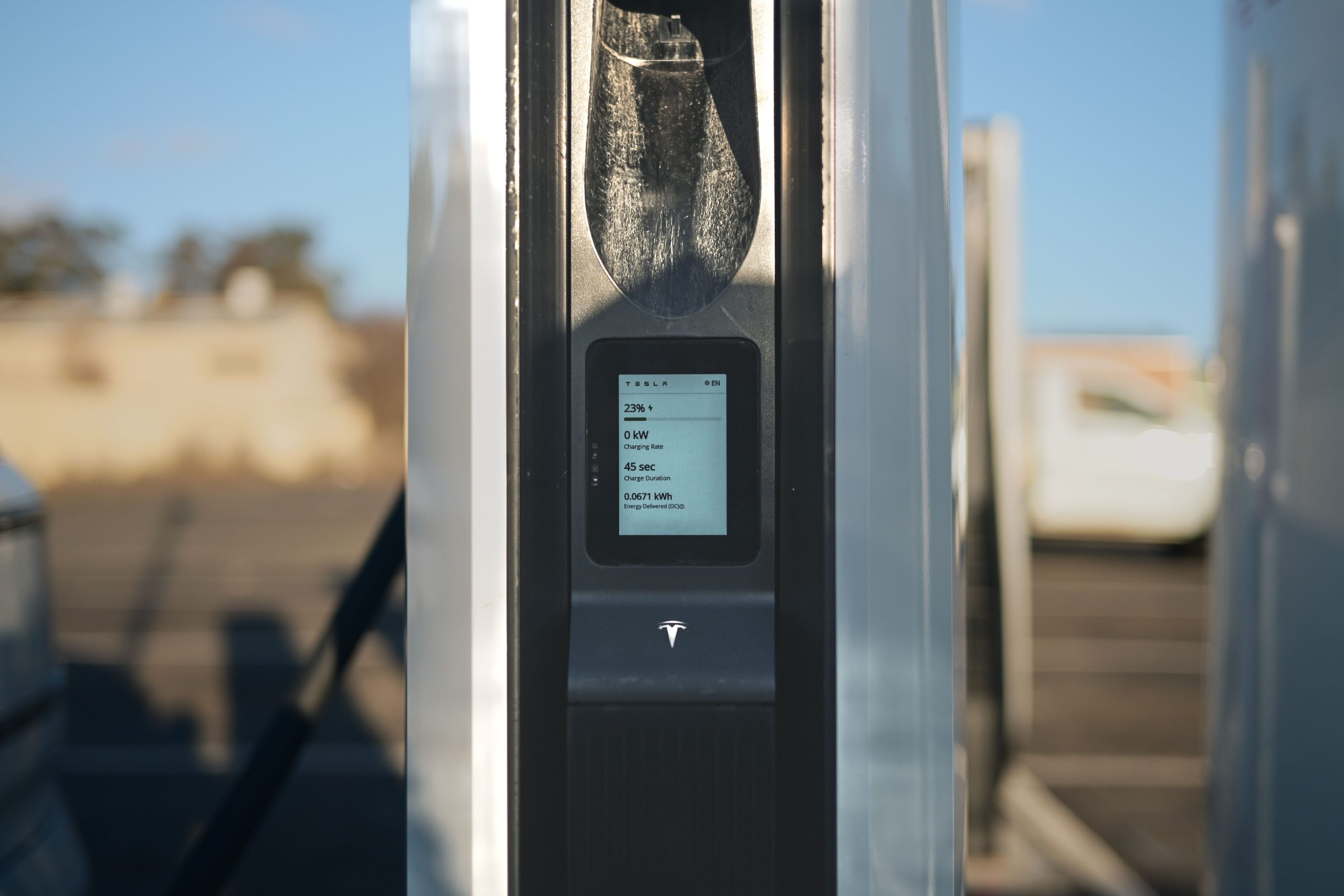
Visibility determines whether people can actually use the station without hesitation. EV charging users often approach a screen in bright daylight, at an angle, or at night under mixed lighting, so the display has to remain legible in more than one condition. If users have to shade the screen with their hand or step around to find the right angle, the interface is already failing the job.
High brightness, sunlight-readable performance, anti-glare treatment, and good viewing angles all contribute to a better interaction experience. The goal is not just to make the panel visible; it is to make the charging process feel obvious and low-friction from the first touch.
That matters because the panel PC often carries more than a static display. It may show charge status, pricing, instructions, QR payment prompts, or service messages, so clarity directly affects completion rates and customer confidence.
Networking is the backbone
At an EV charging station, the screen is only useful if the network behind it is reliable. The panel PC may need to support charge status updates, payment flows, site monitoring, remote maintenance, software updates, and service alerts. If connectivity is unstable, the user experiences a delay, and the operator loses visibility into the site.
This is why networking should be treated as part of the hardware decision, not as a separate IT issue. Ethernet, Wi-Fi, and any required serial or industrial interfaces should be mapped to the actual site architecture before installation. If the station is part of a broader smart charging network, the hardware should also support consistent remote access and easy integration with the backend system.
A strong deployment usually needs:
-
Stable wired networking where possible.
-
Reliable wireless support where wiring is limited.
-
Clean cable routing and secure connectors.
-
Enough system flexibility for service and updates.
The more distributed the charging network, the more important it becomes that each station can behave consistently without local handholding.
اختيار المقاس المناسب
Size should follow the site layout and the interaction model. A compact charger may only need a smaller screen for status and payment, while a larger forecourt installation may need a more visible interface for instruction, branding, and public use. Bigger is not always better, but too small can make the station feel cramped and hard to use.
أ 15-inch class panel is often enough for compact charging interfaces, while larger formats make sense when the station also serves as a public information point or branding surface. The important thing is to match the screen to the user distance and the site’s lighting conditions, not just to the available cabinet space.
How to choose
The best selection process is straightforward:
-
Identify whether the station is outdoor or semi-outdoor.
-
Check sunlight, moisture, and temperature exposure.
-
Define the display brightness and protection level.
-
Map the networking and remote management needs.
-
Choose the size and mounting style that fits the site.assured-systems+2
This order keeps the project grounded in the real environment instead of in spec-sheet comparison. It also helps avoid buying a unit that looks suitable on paper but fails once it meets the actual site conditions.
التعليمات
Can a panel PC be used at an outdoor EV charging station?
Yes, as long as it is built for outdoor or semi-outdoor exposure, with the right protection and visibility characteristics.
Why is sunlight-readable performance important?
Because EV charging screens are often used in bright daylight, poor readability slows down interaction and reduces confidence.
Is semi-outdoor deployment easier than outdoor deployment?
It is usually easier, but not simple. Semi-outdoor sites still face glare, moisture, and temperature swings that can affect both readability and reliability.
What matters most for networking?
Stable wired or wireless connectivity, secure cabling, and enough flexibility for remote monitoring and service updates.
Why not use a standard commercial display?
Because EV stations need stronger protection, better thermal behaviour, and more dependable long-term operation than a typical indoor display can provide.
How do I decide the screen size?
Match it to the user distance, station layout, and the amount of information the interface needs to show.
A Panel PC for EV charging stations has to do more than display information. It must survive the environment, stay readable in changing light, and keep the network stable enough to support real-world charging workflows. When those three things work together, the charging station feels reliable instead of frustrating.
للاطلاع على مسار المنتج الكامل، ابدأ بـ Panel PC | LCDSLD أو تواصل عبر الصفحة اتصل بنا


 Arabic
  English
  Spanish