


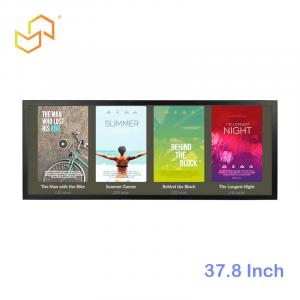
Android vs Windows vs Linux Panel PC: Which OS Should You Choose?
Choosing the right operating system for a Panel PC is a deployment decision that shapes compatibility, maintenance, and total ownership cost. The best choice is the one that fits your application, your team’s support capacity, and the way the device will be managed over time.
Why does the OS matter? Android vs Windows vs Linux Panel PC
A Panel PC combines computing, touch control, and display into a single industrial device, so the OS is not an accessory layer; it is part of the product’s core behaviour. If the operating system does not match the application, the device may still power on and run, but the workflow can become awkward, expensive, or fragile.
That is why OS selection should happen early. In a real project, the operating system influences whether existing software runs smoothly, how updates are handled, and how much technical work the team must perform after installation. In other words, software choice affects the entire life cycle of the hardware.
For a broader framework on how Panel PCs fit into industrial computing, see Panel PC: Complete Guide to Industrial All-in-One Computing. That piece provides the system-level context in which this OS decision sits.
Android in practice
Android is often the best fit when the project needs an app-driven, touch-friendly environment with a lighter software footprint. It is especially attractive for kiosks, guided workflows, and interfaces that behave more like a managed application than a traditional desktop.
The strongest advantage of Android is deployment simplicity. When the software is already built for Android or browser-based interaction, the team can often move faster and keep the device model easier to standardise across locations. That makes Android a practical choice for many industrial touch applications.
Android also aligns well with LCDSLD’s Android Panel PC category, which is positioned for industrial and smart-manufacturing use cases. If the project needs a compact Android-based system in a different format, the RK3288 Commercial Industrial VESA-Mounted Embedded Android/Linux ARM Mini PC is a useful example of how Android-oriented hardware can be deployed in a flexible way.
Windows in practice
Windows is usually the right answer when the project depends on desktop software, legacy business applications, or a Windows-based IT environment. It remains the most familiar option for teams that already manage software, drivers, and security tools inside the Microsoft ecosystem.
The main advantage of Windows is compatibility. If the application was built for a Windows environment, forcing it into another OS usually adds risk and integration work. In many industrial projects, that compatibility is worth the extra system complexity because it reduces the chance of software rework.
Windows also fits naturally with LCDSLD’s Panel PC product category because the industrial all-in-one format is designed for demanding environments where software and hardware must stay tightly aligned. A hardware example, such as the 22 Inch Industrial VESA-Mounted Embedded Panel PC shows the kind of rugged platform that can support desktop-style industrial workflows.
Linux in practice
Linux is often the strongest choice when the project needs a controlled embedded environment, a lean system footprint, or a highly customised software stack. It is especially useful when the integrator wants more direct control over the platform and is comfortable owning more of the technical details.
The biggest strength of Linux is flexibility. It can be shaped to fit a narrow use case very well, which makes it attractive for embedded projects and specialised industrial systems. That same flexibility, however, means the team must be ready for more hands-on support over the life of the device.
Linux makes the most sense when the software is built in-house or managed by a technical team that knows exactly what the system should do. It is less about broad compatibility and more about precision and control. That is why Linux can be excellent in the right environment, but not automatically the safest default.
Compatibility first
Compatibility should usually be the first filter. If the project depends on a specific application stack, the OS must support it without awkward workarounds. This is the fastest way to eliminate the wrong option before time is spent on hardware comparisons.
Android works best when the software is app-based, browser-based, or built for touch-first workflows. Windows is best when the application depends on desktop software or legacy business tools. Linux is best when the software is controlled, embedded, and intentionally limited to a defined environment. Each OS can be good, but only if it fits the application logic.
Cost is not just licensing
A common mistake is to compare OS options only by upfront license cost. In practice, the real cost includes deployment time, support effort, update management, retraining, and long-term maintenance. A “cheaper” OS can become the more expensive one if it creates hidden operational costs.
Android can reduce complexity when the application is straightforward, and the team wants a simpler rollout. Windows may cost more in management overhead, but that cost can be justified by compatibility and reduced application rework. Linux may be cost-effective in long-term embedded use, but only when the team can support it properly. Total ownership cost is the real question, not just the software label.
For the model-selection side of that decision, Industrial Panel PC Buyer’s Guide: How to Choose the Right Model is the natural next read. It helps connect the OS choice to the actual hardware platform you will live with.
Long-term ownership
The OS you choose will shape how easy the system is to update and support later. If the device will be deployed across multiple sites, even small maintenance differences can become large operational differences over time. That is why long-term ownership matters just as much as first deployment.
Android often works well when the business wants standardised devices with simpler app management. Windows is often better when the organisation already has IT processes built around Microsoft tools. Linux works best when the team is comfortable with a more technical support model and wants fine-grained control over behaviour. The correct answer is usually the one that your team can maintain without friction.
Recommended by project type
Android for app-driven deployments
Android is usually the best fit for kiosks, guided service flows, smart-building interfaces, and other touch-driven applications where the software behaves like a dedicated app. It gives teams a simpler model when the goal is to keep the user experience focused and consistent.
Windows for legacy environments
Windows is usually the safest choice when the application depends on existing desktop software, enterprise tools, or a Windows-only workflow. It is the least disruptive option when compatibility is the main concern.
Linux for controlled systems
Linux is often the right choice for embedded projects, custom builds, and technical teams that want a lean, controlled platform. It gives the most freedom, but also expects the most ownership.
How product choice fits
Software choice should always be paired with hardware planning. LCDSLD’s Panel PC product category is the most direct starting point when you want to compare industrial all-in-one hardware options. If the project is leaning toward Android, the Android Panel PC category is the better narrow path.
Two product pages that fit this discussion naturally are the 22 Inch Industrial VESA-Mounted Embedded Panel PC and the 10 Inch Industrial VESA-Mounted Embedded Panel PC. They show how the same OS decision can live on different sizes and mounting formats depending on the project layout.
FAQ
Which OS is easiest to deploy?
Android is often the easiest when the application is app-based or browser-based, and the team wants a lighter setup.
Which OS has the widest compatibility?
Windows usually has the broadest compatibility with desktop and legacy applications.
When should I choose Linux?
Linux is usually the better fit for controlled embedded environments where the team can manage more technical ownership.
Is Android always cheaper?
Not necessarily. The total cost includes support, integration, deployment time, and long-term maintenance, not just the OS itself.
Can a Panel PC run more than one OS type?
Some hardware platforms support different software strategies, but the right choice still depends on the project’s software requirements and maintenance plan.
How do I avoid choosing the wrong OS?
Start with the application, then check compatibility, deployment complexity, and internal support capability before deciding.
The right OS is the one that matches the application and the support model, not the one that looks best on paper. In practice, the most successful Panel PC projects are the ones where software, maintenance, and deployment complexity are considered together from the start.
If the requirements are already clear, the next step is to confirm the final hardware and software fit with our team. When the application is still evolving, it is better to define the workflow first and then lock in the Panel PC configuration that will support it long term.
 English
  Arabic
  Spanish