
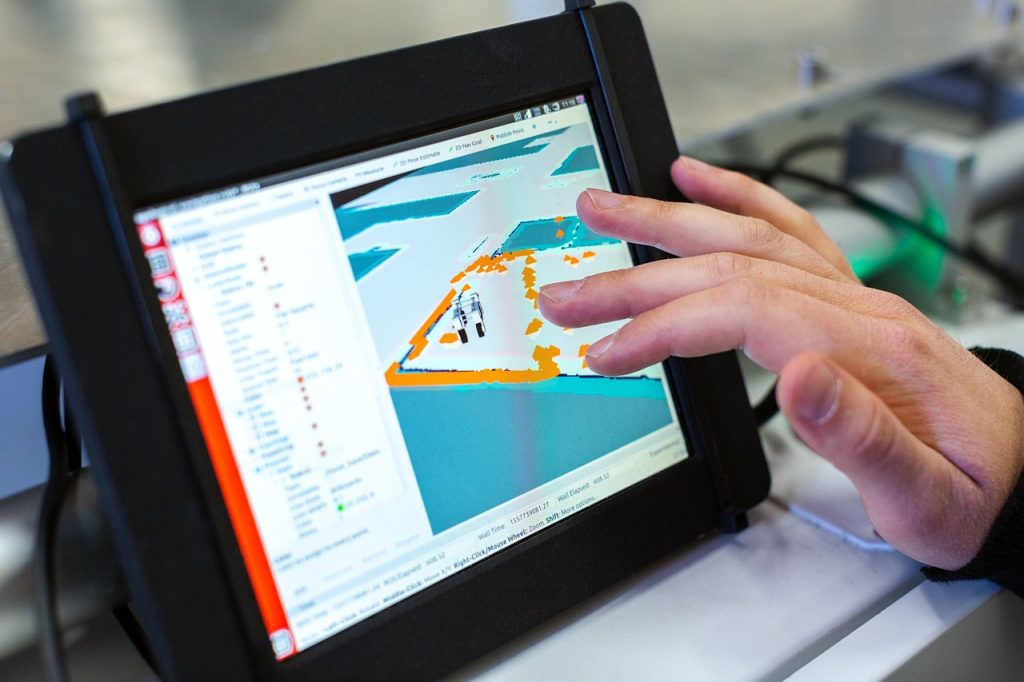
Embedded Panel PC vs Box PC + Monitor
Choosing between an Embedded Panel PC and a Box PC plus monitor is an architecture decision that shapes cost, maintenance, wiring complexity, and long-term integration. The right choice depends on whether your project values compact all-in-one simplicity or modular flexibility with easier compute upgrades.
Problems
Many industrial projects start with the wrong architectural decision. Teams may focus on display size or processor specifications first, then discover later that the system is too complex to service, too expensive to wire, or too inflexible to upgrade.
A second problem is lifecycle cost. An all-in-one design can reduce visible hardware and simplify installation, but if the compute and display must be replaced together, the long-term impact on downtime and replacement cost can be higher.
Integration is another frequent challenge. Box PC plus monitor arrangements can be more flexible, but they also introduce more cables, more mounting parts, and more opportunities for mismatched components. In industrial environments, those details directly affect reliability and service efficiency.
Solution
An Embedded Panel PC combines the computer and touch display in a single rugged unit. This architecture is often preferred when operators need a clean front-end interface, the installation space is limited, and the system should be as compact as possible.
A Box PC plus monitor separates computing from display. That approach gives buyers more freedom to select each component independently, which can be valuable when the display, processor, and expansion requirements do not change at the same pace.
In practice, the best solution depends on the application profile. If the project is HMI-heavy and space-constrained, an Embedded Panel PC is usually more efficient. If the project requires modular upgrades, richer I/O flexibility, or a separate display lifecycle, the Box PC plus monitor model often provides a better long-term fit.
Product Selection
The selection process should start with the architecture, not the brand or screen size. Buyers need to evaluate where the device will be installed, how often it will be serviced, and whether future upgrades will be made at the compute level, the display level, or both.
Important criteria include:
-
Space available for front-panel or cabinet installation.
-
Wiring tolerance and cable management requirements.
-
CPU and I/O expansion needs.
-
Maintenance access and replacement strategy.
-
Touch display requirements and mounting method.
-
Operating system and software compatibility.
For product browsing, the Industrial VESA-Mounted Panel PC page is a practical starting point for the integrated option. For direct product references, the 19 Inch Industrial Panel PC and 21.5 Inch Industrial Panel PC pages provide representative embedded formats. If the project is better suited to software-led deployment, the Android Industrial Panel PC page is also relevant.
For a broader technical context, the Industrial Panel PC Buyer’s Guide: How to Choose the Right Model and Panel PC: Complete Guide to Industrial All-in-One Computing resources are the most useful pillar references for this topic.
Implementation
An Embedded Panel PC is often easier to deploy because the monitor, touch layer, and computer are already designed to work as one system. That usually reduces wiring, shortens installation time, and simplifies front-panel integration in operator stations, kiosks, and production equipment.
A Box PC plus monitor, however, can be better when the monitor and computing needs do not match the same replacement cycle. For example, a plant may want to keep the same display housing in place while upgrading the box computer later, which is easier when the components are separated. Modular industrial architectures are commonly used for exactly this reason, since they allow the operator interface and compute engine to evolve independently.
The trade-off is that modularity creates more integration work. The installer must manage extra cabling, separate mounting positions, and component compatibility. In return, the project often gains better serviceability and more freedom to optimise the display and computer separately.
For a useful external reference on modular industrial HMI architecture, Cincoze describes a display-computing approach that can be converted between panel PCs and monitors, emphasising lower on-site maintenance time and flexible mounting options. Siemens also highlights the value of fan-free, low-maintenance IPC designs when integrating visualisation, control, and communication tasks in compact industrial systems.
Architecture Differences
The core architectural difference is where integration happens. In an Embedded Panel PC, the display and computer are integrated into one enclosure, so the system behaves like a unified industrial terminal.
In a Box PC plus monitor setup, the display is a separate endpoint, and the compute unit is the independent processing engine. That means the box PC can be placed in a cabinet, behind a panel, or in another protected location, while the monitor remains visible to the operator.
This difference affects everything from cabling to service strategy. An embedded design reduces visible complexity, while a modular design increases flexibility and can make future upgrades easier.
Cost And Maintenance
Cost should be evaluated in two layers: initial purchase cost and lifecycle cost. Embedded Panel PCs are often simpler to deploy because one device handles both display and computing, which can reduce installation labour and rack or cabinet complexity.
Box PC plus monitor solutions may appear more flexible, but they can add cost in mounts, cables, power distribution, and integration time. On the other hand, the modular design can lower future replacement costs if only one side of the system needs updating.
Maintenance follows the same pattern. Embedded systems are compact and easier to standardise, but a failure can affect both display and computing at once. Modular systems can isolate failures more cleanly, which is useful when uptime and selective replacement are important.
Environment Fit
Embedded Panel PCs are usually the better choice for compact machine interfaces, production HMIs, kiosk-style terminals, and applications where the operator needs a unified front-end device. They are especially attractive when front-panel cleanliness and a simplified enclosure design matter.
Box PC plus monitor systems suit projects where performance may need to change over time, where the monitor location is fixed but the compute node may be upgraded later, or where the display and computer need to be physically separated for thermal or maintenance reasons. This is common in control rooms, integration cabinets, and multi-device industrial systems.
A simple rule applies: if the interface is the product, embedded is often better; if the compute engine is the product, modular is often better.
Buying Strategy
A practical buying strategy should start by identifying the component that is most likely to change in the future. If the display size, touch technology, and enclosure are unlikely to change, an Embedded Panel PC reduces complexity. If the software stack, processing load, or peripheral requirements may grow, a Box PC plus monitor can be the smarter long-term investment.
Before ordering, buyers should confirm:
-
Installation space and mounting style.
-
Display and touch requirements.
-
CPU and I/O expansion needs.
-
Maintenance expectations.
-
Whether future upgrades will affect the monitor, the compute unit, or both.
For projects still comparing broader industrial PC options, contact our experienced team to provide the clearest framework for final decision-making.
FAQ
What is the main difference between an Embedded Panel PC and a Box PC plus monitor?
An Embedded Panel PC integrates computing and display into one rugged unit, while a Box PC plus monitor keeps the computer and display separate.
Which option is better for compact installations?
Embedded Panel PCs are usually better because they reduce cabling and front-panel complexity.
Which option is easier to upgrade?
A box PC plus monitor is usually easier to upgrade because the compute unit and display can be replaced independently.
Is a Box PC plus monitor always more expensive?
Not always. Initial hardware can be comparable, but the modular design may increase installation cost while reducing future replacement cost.
When should I choose an Embedded Panel PC?
Choose embedded when you want a cleaner all-in-one design, lower wiring complexity, and a standardised operator interface.
Consult Us
If your project requires help deciding between an Embedded Panel PC and a Box PC plus monitor, request a system review before procurement. We can help assess architecture fit, maintenance strategy, space constraints, and upgrade planning so the final solution matches both the application and the lifecycle budget.

