




Hotel digital screen kiosk is transforming how guests arrive, check in, and discover services. From late-night arrivals to peak check-in waves, self-service kiosks handle routine front-desk tasks while acting as a digital concierge, promoting room upgrades, spa packages, dining, and local attractions.
This article explains how to design and deploy a hotel digital screen kiosk solution for self check-in and digital concierge services. It covers guest flows, hardware specs, integrations with PMS/lock systems, upsell strategies, and deployment tips for city hotels, resorts, and airport properties.
Series progression: أكشاك الخدمة الذاتية | Corporate Lobby Kiosks | Airport & Metro Kiosks
Why Need Hotels Digital Screen Kiosk?
Hotels face rising labour costs, staff shortages, and guests who increasingly expect contactless, app-like experiences. At the same time, properties must protect brand image and keep human warmth.
Hotel digital screen kiosk solves this balance:
-
Offload repetitive check-in/check-out tasks.
-
Allow staff to focus on complex requests and VIPs.
-
Provide 24/7 service for late arrivals.
-
Promote high-margin services at the right moment.
Guest Experience Pressure Points
Typical pain points a kiosk can fix:
-
Long check-in lines at 5–7 PM.
-
Late-night arrivals are waiting for a single staff member.
-
Guests are unsure about breakfast hours, Wi-Fi, and facilities.
-
Underused spa, F&B, or paid amenities.
أ well-designed kiosk turns these moments into fast, guided, upsell-ready experiences.
Core Use Cases for Hotel Digital Screen Kiosk
Hotel digital screen kiosks generally serve two main roles, often in a single unit:
-
Self Check-In / Check-Out
1. Self Check-In Flow (Under 2 Minutes)
A streamlined check-in flow might look like:
-
Identify the Guest
-
Scan ID/passport.
-
Enter booking reference or scan QR from email/app.
-
Look up by name and check-in date.
-
-
Reservation Confirmation
-
Display booking details: name, dates, room type, rate.
-
Offer room upgrades (view, floor, category).
-
Ask for any missing data (phone, email, preferences).
-
-
Payment & Deposit
-
Pre-authorise the card or process payment.
-
Capture a digital signature for terms and conditions.
-
Optionally, handle city tax.
-
-
Room Key Issuance
-
Encode and dispense key cards.
-
Or display QR/mobile key instructions.
-
Show directions to the room (mini-map/floor indication).
-
-
Upsell & Info
-
Offer breakfast add-on, late checkout, spa discount.
-
Show Wi-Fi details and essential hotel info.
-
Target: 90–120 seconds for a complete check-in.
2. Self Check-Out Flow
Self check-out removes pressure from the morning rush:
-
Identify the room/guest.
-
Show bill breakdown.
-
Allow bill review and email receipt.
-
Take payment or confirm card on file.
-
Ask for feedback (NPS, quick rating).
-
Guide key drop or auto-deactivate mobile key.
3. Digital Concierge Services
Beyond check-in/out, the kiosk can function all day as a digital concierge:
-
Property Information
-
Restaurant menus and opening hours.
-
Spa services and pricing.
-
Pool, gym, kids club info.
-
House rules and safety information.
-
-
Reservations and Bookings
-
Restaurant/spa appointment booking.
-
Local tours and activities.
-
Airport transfers and taxi booking.
-
-
-
Interactive hotel maps (rooms, facilities).
-
Directions to meeting rooms and conference venues.
-
Multi-language support for international guests.
-
-
Promotions
-
Seasonal offers (Christmas dinner, New Year packages).
-
Loyalty program enrollment and benefits.
-
Room upgrade offers for future stays.
-
Key Benefits for Hotels: Reduced Front Desk Load
-
Fewer guests in queues.
-
Staff can handle complex requests, complaints, and loyalty members.
-
Night shifts can operate with minimal staff while still offering check-in.
Higher Ancillary Revenue
-
Always-on upsell prompts for:
-
Room upgrades.
-
Breakfast packages.
-
Late checkout.
-
Spa/F&B offers.
-
-
Consistent cross-sell without relying on staff memory.
More Consistent Guest Data
-
Guests review and update their own information.
-
Fewer spelling errors and mismatched contacts.
-
Better marketing database for email and loyalty campaigns.
Improved Guest Satisfaction
-
Faster check-in/check-out.
-
No waiting behind large groups.
-
24/7 self-service convenience.
Hardware Requirements for Hotel Digital Screen Kiosk
Hotel lobby environments require devices that look premium and work reliably.
Form Factors
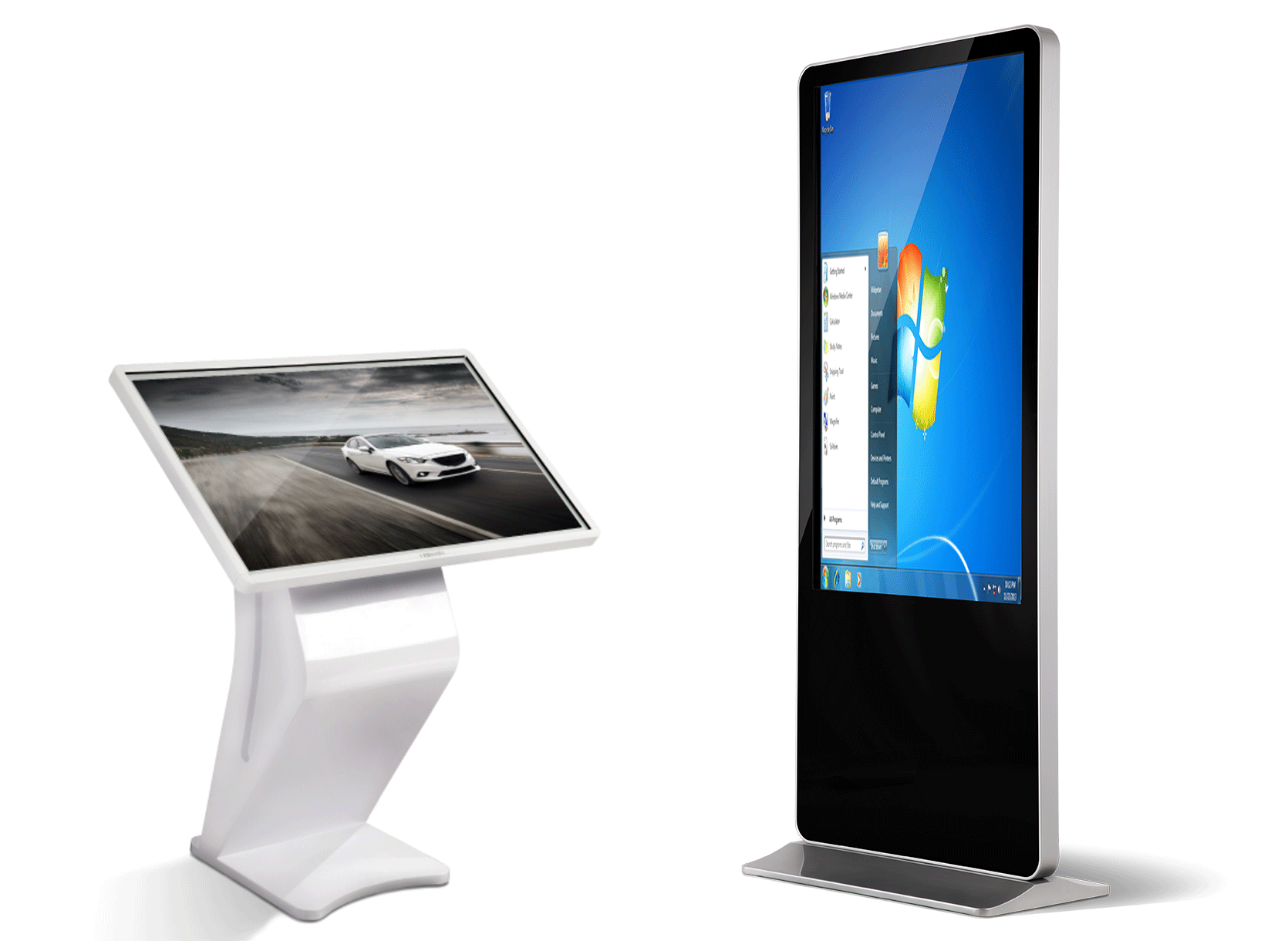
Common form factors:
-
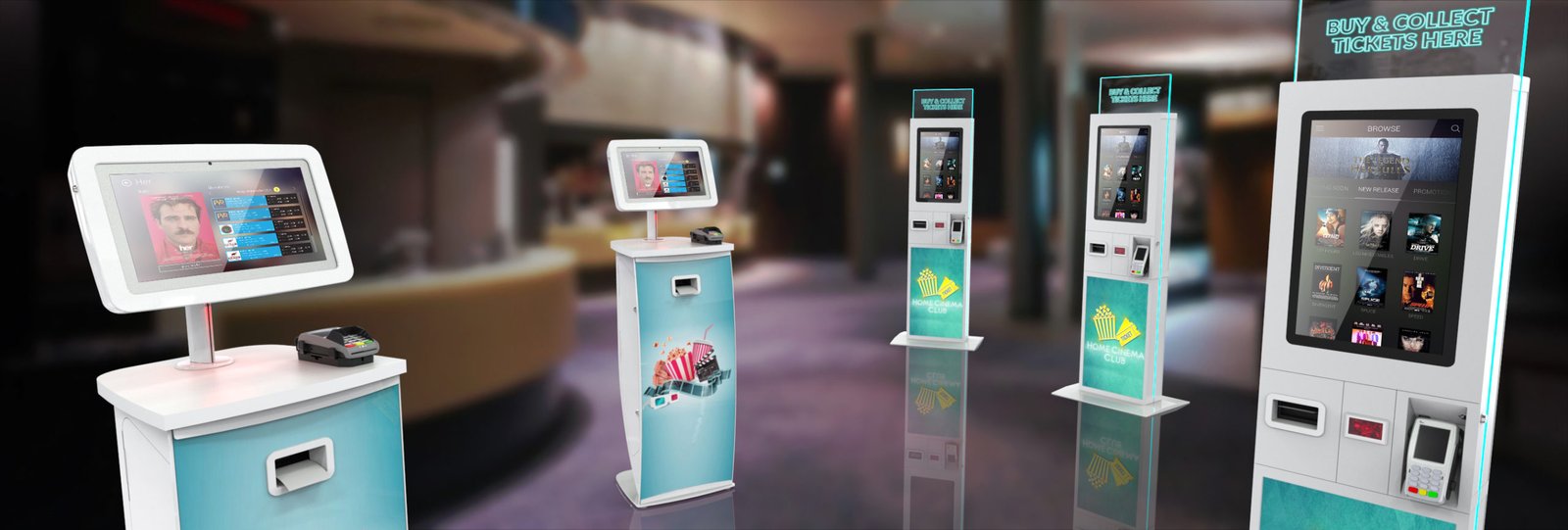
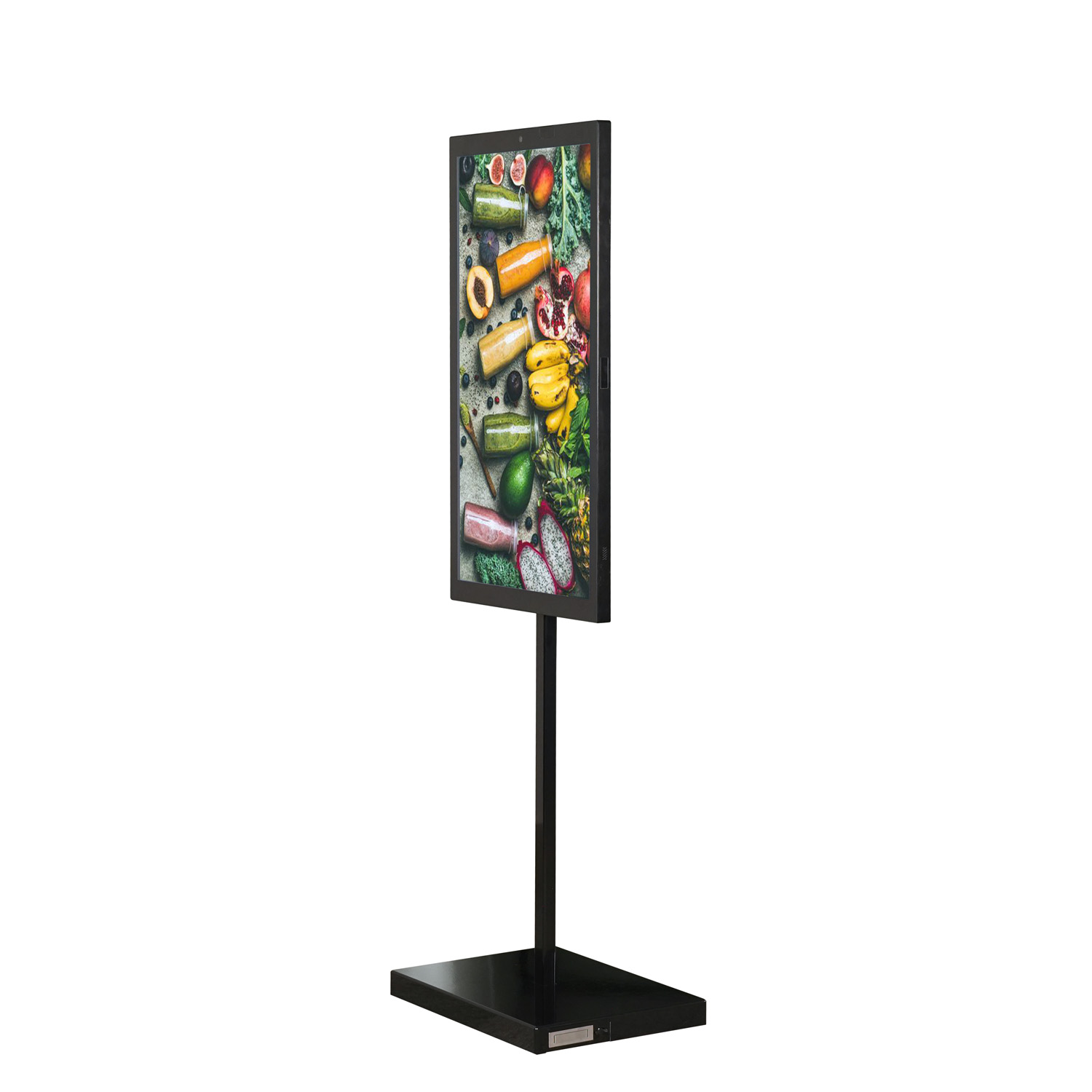
Freestanding lobby kiosks (most typical):
-
Placed near the front desk or entrance.
-
Countertop kiosks:
-
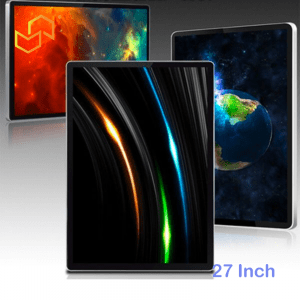
21.5–27″ for smaller lobbies.
-
-
Wall-mounted digital concierges:
-
27–43″ near elevators or common areas.
-
مواصفات العرض
Recommended display specs:
-
Size: 27–43″ for lobby use (freestanding or wall-mount).
-
Brightness: 400–700 nits (indoor, but must combat lobby lighting).
-
Panel: Commercial-grade IPS, 24/7 rated.
-
Resolution: Full HD minimum, 4K for premium look.
Touch:
-
PCAP multi-touch for smartphone-like responsiveness.
-
Responsive under light moisture (near entrances).
-
Anti-fingerprint and anti-glare glass.
Peripherals
For hotel self check-in/out:
-
ID/Passport scanner (OCR/MRZ-compatible).
-
Payment terminal (EMV, NFC, major wallets).
-
Card encoder and dispenser:
-
Issues encoded room key cards.
-
-
Printer:
-
Thermal printer for receipts and legal docs (optional).
-
-
آلة تصوير (optional):
-
For photo capture if tied into security or guest profile.
-
Enclosure and Design
-
Slim, modern design matching hotel interior.
-
Branding options: logo, colour, decorative finishes.
-
Cable management and secure peripheral housing.
-
ADA/wheelchair accessible heights and angles.
Software & Integration Requirements
A hotel digital screen kiosk must integrate tightly with hotel systems.
Essential System Integrations
-
PMS (Property Management System)
-
Real-time reservation lookup.
-
Room assignment and status updates.
-
Billing, folio handling, and check-in/check-out.
-
-
Door Lock System
-
Key card encoding.
-
Mobile key provisioning (if supported).
-
Integration with major lock vendors.
-
-
Payment Gateway
-
Pre-authorisations and final charges.
-
Support for local and international cards and wallets.
-
PCI DSS compliant.
-
-
CRM / Loyalty System
-
Loyalty points status and accrual.
-
Member-only offers and rates.
-
Enrollment at the kiosk.
-
-
الإشارات الرقمية / CMS
-
Content management for promotions and info.
-
Centralised updates across multiple kiosks.
-
الأمن والامتثال
Hotels deal with sensitive data:
-
PCI DSS for all payment flows.
-
GDPR/PDPA compliance for personal data.
-
Encrypted communication between the kiosk and backend.
-
Secure authentication for staff access to admin functions.
UX Best Practices for Hotel Digital Screen Kiosk
Friendly, Human Tone
Even though this is self-service, tone matters:
-
Use warm language: “Welcome”, “We’re glad you’re here”.
-
Simple, clear instructions with minimal jargon.
-
Use hotel branding and style to keep it on-brand.
Clear Step-by-Step Flows
-
Show progress: “Step 1 of 4: Find your reservation”.
-
Always provide an obvious “Back” and “Start Over”.
-
Keep screens simple: one major decision per screen when possible.
Visuals and Photos
-
Show photos of room types during upgrades.
-
Use icons and images for facilities and services.
-
Include small map thumbnails for wayfinding to elevators or rooms.
دعم متعدد اللغات
Especially important in city and resort hotels:
-
Language selection at the start.
-
Support major guest languages based on your traffic (e.g. English, Chinese, Japanese, Korean, Russian, Arabic).
-
Avoid large blocks of text; use bullet points and icons.
إمكانية الوصول
-
Large buttons and fonts.
-
High contrast mode.
-
Height and angle are suitable for wheelchair users.
-
Voice guidance where appropriate (if the environment allows).
Placement and Deployment Strategy
Ideal Locations in a Hotel
-
Main lobby near the front desk, but not blocking entrances.
-
Separate kiosk zone for privacy (guests may not want to enter details in front of others).
-
Additional units near conference centres or secondary entrances in larger properties.
Number of Kiosks
This depends on hotel size and traffic:
-
Small/boutique (50–100 rooms):
-
1 kiosk may be enough.
-
-
Medium (100–300 rooms):
-
2 kiosks near the front desk (plus one backup terminal).
-
-
Large (300+ rooms, airport or resort):
-
3–4 kiosks in the main lobby, plus 1–2 near the conference level or secondary lobby.
-
Implementation Roadmap
Phase 1: Discovery and Design
-
Review current check-in flows and pain points.
-
Identify PMS, lock system, payment gateway, and CRM.
-
Define target metrics:
-
% of guests using kiosks.
-
Reduction in average check-in time.
-
Upsell revenue target.
-
Phase 2: Pilot Deployment
-
Start with 1–2 kiosks in the main lobby.
-
Train staff to direct guests to kiosks for suitable cases:
-
Simple individual bookings.
-
Late-night check-ins.
-
-
Collect feedback from guests and staff.
-
Monitor:
-
Completion rates.
-
Time per check-in.
-
Upsell acceptance.
-
Phase 3: Scale and Optimise
-
Add more kiosks if adoption is high.
-
Add digital concierge features:
-
Restaurant bookings.
-
Spa appointments.
-
Local tour bookings.
-
-
Refine flows based on analytics:
-
Simplify steps with high drop-off.
-
Adjust upsell timing and offers.
-
Example Hotel Digital Screen Kiosk Configurations
City Business Hotel
-
2 × 32″ freestanding kiosks at lobby entrance.
-
ركز:
-
Quick check-in/out.
-
Mobile key for frequent business travellers.
-
Display meeting room schedules.
-
Resort Hotel
-
3 × 43″ kiosks (2 in main lobby, 1 near spa).
-
ركز:
-
Self check-in.
-
Spa and activity booking.
-
Restaurant promotions.
-
Airport Hotel
-
2 × 32″ kiosks near the entrance.
-
1 × 27″ kiosk near shuttle drop-off.
-
ركز:
-
24/7 check-in for late flights.
-
Express check-out.
-
Airport shuttle information.
-
Measuring Success
Key metrics to track:
-
Percentage of check-ins handled by kiosks.
-
Average time per kiosk check-in vs front desk.
-
Upsell conversion:
-
Room upgrades.
-
Breakfast packages.
-
Late check-out.
-
-
Guest satisfaction (NPS/CSAT) for check-in experience.
-
Fewer complaints about waiting.
Use these metrics to justify further investment and to fine-tune the UX.
How LCDSLD Can Help
A strong hotel digital screen kiosk solution requires:
-
The right hardware form factors for your lobby.
-
Deep integration with PMS and lock systems.
-
A UX tailored to your brand and guests.
-
Reliable support for 24/7 operation.
LCDSLD can provide:
-
Freestanding and wall-mounted hotel kiosk hardware.
-
Android-based platforms for flexible app deployment.
-
Integration support with major PMS and lock vendors.
-
Design help for branded interfaces and upsell journeys.
If you share your hotel size, systems, and goals, you can get a tailored configuration and rollout plan for your hotel digital screen kiosk project.

 Arabic
  English
  Spanish