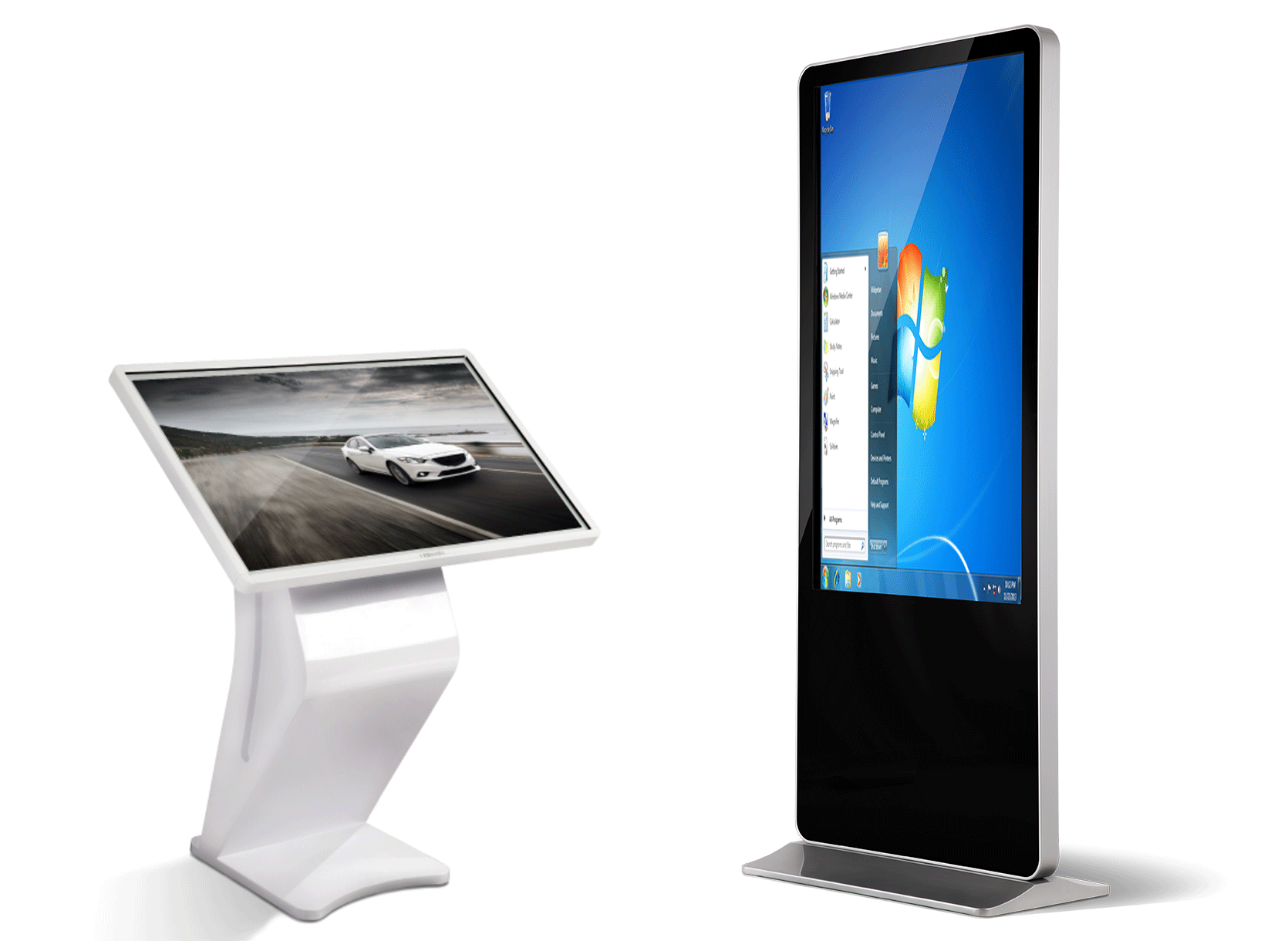
أ corporate lobby digital kiosk display transforms this critical space from a passive waiting area into an active engagement platform that handles visitor management while telling your brand story. Corporate lobbies are the front door to your organisation. They’re where clients, partners, candidates, and VIPs form their first impressions.
This comprehensive article covers everything corporate real estate and facilities managers need for corporate lobby digital kiosk displays: visitor self-registration, badge printing, meeting room booking, brand storytelling, wayfinding, and integration with existing security and HR systems. Learn from real deployments in Fortune 500 headquarters across Singapore, Dubai, and Kuala Lumpur.
Series progression: أكشاك الخدمة الذاتية | Hospital Check-In | الملاحة في الحرم الجامعي
Why Corporate Lobby Digital Kiosk Display Matters
Corporate lobbies handle thousands of visitors annually, yet most still rely on manual processes that waste time and create poor first impressions. Corporate lobby digital kiosk displays solve these problems:
The Lobby Transformation Challenge
Traditional Lobby Problems: ├── Reception overload (5–10 min per visitor) ├── Manual logbooks (illegible, incomplete) ├── VIP delays (no priority routing) ├── No brand engagement during wait ├── Security gaps (untracked visitors) Digital Kiosk Solutions: ├── Self-service check-in (<90 seconds) ├── Automatic badge printing ├── Real-time host notification ├── Branded content during wait └── Complete audit trail
Industry benchmarks (Fortune 500 deployments): ├── Reception time: -67% (90s vs 5+ min) ├── Visitor satisfaction: +34 NPS points ├── Front desk capacity: +200% ├── Security compliance: 100% audit trail ├── Brand recall: +42% during wait time
Singapore case study: A multinational bank’s 12-story HQ deployed 8 lobby kiosks = 65% reception workload reduction, 28% faster VIP processing.
Core Corporate Lobby Digital Kiosk Display Use Cases
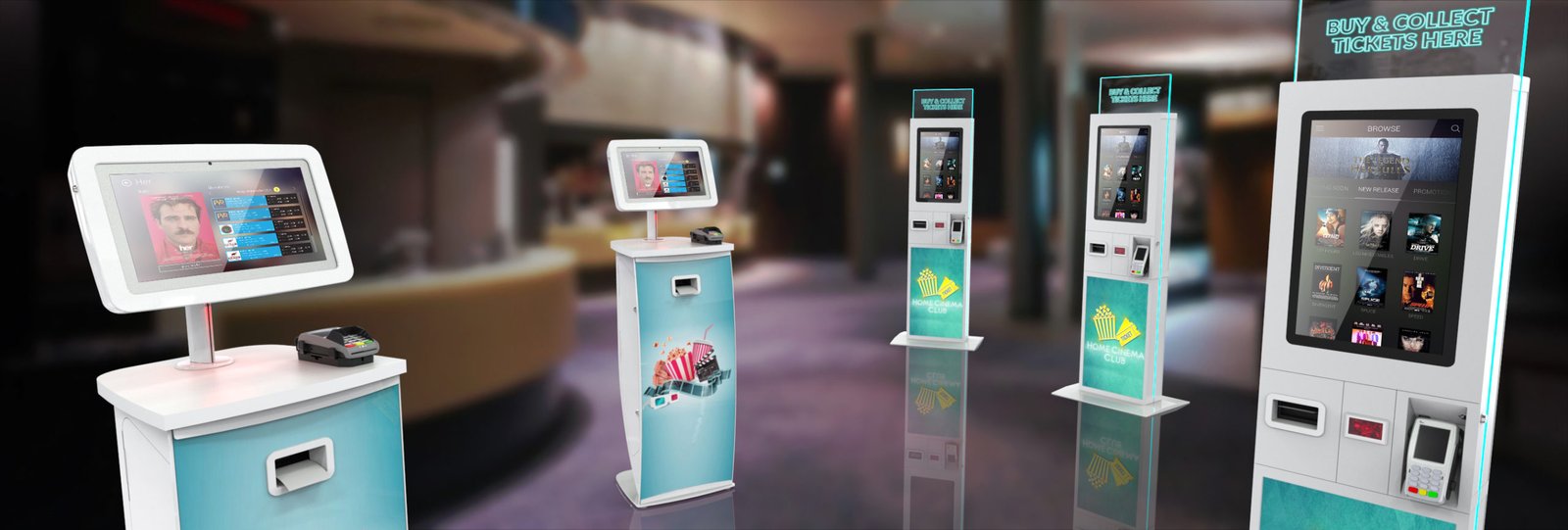
Corporate lobby digital kiosk displays serve 6 primary functions, often combined in one system.
1. Visitor Self-Registration (80% usage)
The most common workflow:
1. Scan QR or enter meeting code (2s) 2. Enter name/company/email (15s) 3. Host lookup or direct entry (10s) 4. Policy/NDA digital signature (20s) 5. Photo capture + badge printing (30s) 6. SMS/email confirmation to host (instant) 7. QR code for building access
-
No receptionist needed for routine visitors
-
Automatic host notification (Teams/Slack/Email)
-
Professional, consistent process
2. Employee Directory & Wayfinding
Interactive directory with:
├── 500+ employee photos/names/departments ├── Office floor plans (interactive zoom) ├── Meeting room availability ├── Printer/canteen/coffee locations ├── Emergency exits and protocols
Multi-language: English, Chinese, Arabic, and Bahasa for global HQs.
3. Brand Storytelling & Content
Turn wait time into engagement:
Dynamic content zones: ├── Company timeline/video wall (background) ├── CSR initiatives and awards ├── Culture videos (employee testimonials) ├── Live news feed (financials, press) ├── Rotating client logos/case studies
-
Product/service demos
-
Career opportunity signup
-
CSR volunteer registration
4. Meeting Room & Hot Desk Booking
Self-service resource allocation:
Available now: 3 conference rooms, Hot desks: 12/20 available. Book via Teams/Outlook calendar sync QR code to the reserved space
Enterprise-grade features:
├── Facial recognition (optional) ├── ID verification (passport/driver’s license) ├── Background check integration ├── Access control system sync ├── GDPR/HIPAA compliant data handling
6. Event & Tour Management
For company events and campus tours:
Event check-in with agenda, download VIP badge printing Live session schedules Feedback surveys Photo booth integration
Hardware Specifications for Corporate Lobbies
Corporate environments demand premium aesthetics with enterprise reliability.
Optimal Display Configuration
Lobby Kiosk Hardware Matrix: Lobby Type | Size | Brightness | Orientation Main Entrance
| 43-55″ | 700-1000 nits | Portrait Elevator Lobby
|32-43″ | 500-700 nits | Landscape VIP/Executive
| 55-65″ | 1000+ nits
| Portrait Core Specs:
├── Panel: Commercial IPS, 178° viewing ├── Touch: 10-point PCAP (glove support) ├── Processor: Intel i5 or Android octa-core ├── RAM: 8-16GB | Storage: 256GB NVMe ├── Connectivity: Cat6 + Wi-Fi 6 + 5G └── Power: 24/7, <200W
Peripherals and Integration
Essential: ├── Badge printer (Zebra/Paxar, 4″ thermal) ├── Document scanner (passport/ID) ├── NFC reader (visitor cards) ├── USB expansion (future-proof) Optional: ├── Facial recognition camera ├── Microphone/speaker (voice search) ├── QR code projector (floor markings)
Enclosure Design Priorities
Aesthetics First: ├── Slim bezel (<15mm) ├── Custom RAL color matching ├── Branded lightbox header ├── Anti-fingerprint glass Enterprise Reliability: ├── IK10 impact rating ├── IP54 dust/water ingress ├── Front-serviceable (no downtime) ├── VESA mounting compatibility
Software Architecture: Enterprise Integration
Corporate lobby kiosks must integrate with existing enterprise systems.
Core Platform Requirements
Operating System: Windows 11 IoT Enterprise or Android 13+ Browser Engine: Chromium/Edge (HTML5/WebGL) API Support: RESTful + WebSocket (real-time) Security: BitLocker + TPM 2.0 Remote Management: Intune/Jamf or MDM
Essential Enterprise Integrations
1. IDENTITY & ACCESS: ├── Active Directory / Azure AD ├── Okta / Auth0 SSO ├── Badge system (HID, Genetec) 2. COMMUNICATION: ├── Microsoft Teams/Slack notification ├── Email/SMS gateway ├── Digital signage CMS sync 3. DATA SYSTEMS: ├── HRIS (employee directory) ├── CRM (visitor history) ├── Calendar sync (Outlook/Exchange) ├── Security audit logs
Content Management Workflow
Central Dashboard: ├── Template-based updates (no coding) ├── A/B testing capabilities ├── Usage analytics (completion rates) ├── Remote troubleshooting ├── Multi-kiosk sync (<5s latency)
UI/UX Design: Professional First Impressions
Corporate lobby kiosks must feel premium and trustworthy.
Welcome Screen Hierarchy
Primary Actions (80% usage): 1. VISITOR CHECK-IN (largest button)
2. EMPLOYEE DIRECTORY
3. MEETING ROOM BOOKING
4. COMPANY INFORMATION Secondary (20%):
5. EVENT REGISTRATION
6. WIFI ACCESS
7. FEEDBACK SURVEY
Check-In Flow Optimisation (90 Seconds Target)
Step 1: Meeting Code/QR (5s) Step 2: Visitor Details (20s) Step 3: Host Selection (15s) Step 4: Policy Acknowledgement (15s) Step 5: Photo + Badge Print (25s) Step 6: Confirmation + Directions (10s)
Multi-Language Implementation
Auto-Detect + Manual Toggle: ├── English (default) ├── Simplified Chinese ├── Arabic (RTL support) ├── Bahasa Indonesia ├── French/German (global HQs)
Accessibility:
WCAG 2.1 AA compliant High-contrast mode Screen magnification Keyboard navigation Audio descriptions
Strategic Lobby Placement and Layout
Optimal Multi-Kiosk Architecture
Single Large Lobby (500+ visitors/day): ├── 2x 43″ main entrance kiosks ├── 1x 55″ central directory kiosk ├── 1x 32″ elevator lobby kiosk Multi-Floor HQ (2000+ employees): ├── Floor 1: 3 kiosks (main reception) ├── Floors 2-10: 1 kiosk per floor (elevators) ├── Executive floor: 1 premium 65″ kiosk
High-Traffic Pattern: 1. Main kiosks capture 70% volume
2. Secondary kiosks handle overflow
3. Staff stations as backup (10% volume)
4. Mobile app/QR as supplement
Deployment Roadmap: From Pilot to Enterprise
Phase 1: Pilot Deployment (4–6 weeks)
Week 1: Site survey + workflow mapping Week 2: Hardware manufacturing Week 3: Integration + content build Week 4: Staff training + dry run Week 5–6: Live pilot + data collection
Target: 85% completion rate <120s average transaction <5% staff assistance rate NPS > 75
Phase 2: Scale to Full Deployment (8–12 weeks)
Multi-floor rollout,
Centralised monitoring setup,
Integration testing (all floors),
Content localisation Analytics dashboard configuration
Phase 3: Optimisation and Expansion (Ongoing)
Monthly A/B testing,
Quarterly firmware updates,
Annual hardware refresh planning,
New feature integration
Case Study: Multinational Bank HQ (Singapore)
Deployment: 8 kiosks across 12 floors. Pre-kiosk: 5-minute average check-in Post-kiosk: 90 seconds (-82%) Reception staffing: Reduced 3 FTE Annual savings: SGD 285,000 VIP processing: +35% faster Compliance: 100% audit trail
Cost Structure (10-Kiosk Deployment)
CAPEX Breakdown: ├── Hardware: $98,000 (43″ premium spec) ├── Integration: $28,000 (AD/Teams/CRM) ├── Installation: $12,000 ├── Content: $8,500 └── Total Year 1: $146,500 OPEX (Annual): ├── CMS subscription: $9,800 ├── Maintenance: $6,200 ├── Content updates: $4,500 └── Total: $20,500 ROI Timeline: Payback: 8.2 months Year 3 NPV: $682K
LCDSLD offers complete corporate lobby digital kiosk display solutions optimised for enterprise environments.
Featured Corporate Kiosk Models
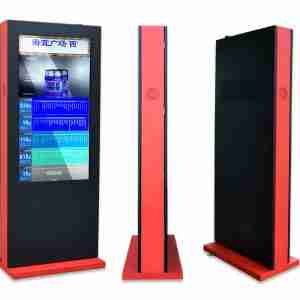
43″ Corporate Lobby Navigator
Perfect for: Main reception areas.
Key features: Employee directory, visitor check-in, badge printing.
Integration: Active Directory, Teams notification.
Case study: Regional bank HQ (8 units)
Perfect for: C-suite floors, client meeting areas.
Features: 4K resolution, video wall capability, facial recognition Branding: Custom RAL colour enclosure
Perfect for: Elevator lobbies, secondary locations Compact footprint, landscape orientation, Wayfinding + meeting room booking
Enterprise Features Included
✅ Active Directory/Azure AD integration ✅ Microsoft Teams/Slack notifications ✅ GDPR/HIPAA data compliance ✅ 5-year enterprise warranty ✅ Front-serviceable design ✅ IK10 vandal resistance ✅ Custom enclosure design
Implementation Next Steps
Ready to transform your corporate lobby? Follow this 30-second process:
2. Upload floor plans + employee count
3. Specify integrations (AD, Teams, CRM)
4. Receive a custom proposal within 48 hours
Regional success stories:
-
Singapore: Multinational bank, 8 kiosks, 65% workload reduction
-
Dubai: Tech campus, 15 kiosks, 92% visitor satisfaction
-
Kuala Lumpur: Financial services, 12 kiosks, SGD 285K annual savings
Ready to modernise your reception area? Contact our team today to get a tailored corporate lobby digital kiosk solution for your building.
Complete Corporate Lobby Digital Kiosk Display Series





 Arabic
  English
  Spanish